Learning how to detect AI-generated images has become much harder because modern image generators can produce realistic faces, objects, lighting, and environments with very few obvious mistakes. A strange-looking hand is no longer enough to prove that an image is fake, and an image that looks completely natural may still have been generated or edited with AI.
The most reliable approach is to combine several types of evidence: check the original file for provenance information, look for invisible watermarks when supported, inspect metadata, research where the image came from, and then examine the image itself for inconsistencies.
Why AI-generated images are difficult to identify
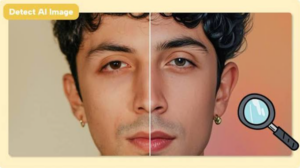
Older AI-generated images often contained obvious defects. Hands could have the wrong number of fingers, text could appear as meaningless symbols, and facial features sometimes looked unnatural. Image-generation systems have improved considerably, so these clues are now useful as warning signs rather than proof.
There is another problem: an image does not have to be completely AI-generated to be misleading. Someone might take a genuine photograph and use an AI editor to replace a person, remove an object, change the background, or alter the lighting. In that situation, calling the entire image “AI-generated” may be inaccurate. The more useful question is often whether AI was involved in creating or modifying the image.
That distinction matters when checking photographs used in news reports, social media posts, product listings, advertisements, or evidence of a real-world event.
No detection method is perfect. A detector can miss an AI image, metadata can disappear during editing or uploading, and visual inspection can produce false conclusions. For important decisions, use several independent signals instead of trusting one result.
1. Check for Content Credentials first
One of the strongest places to start is the image’s provenance information.
Content Credentials are based on the C2PA standard, an open framework for recording information about where digital content came from and what happened to it during editing. A credential can contain information about the software or device involved, the creation process, and subsequent modifications. The information is cryptographically signed so that changes to the recorded history can be detected.
If an image contains valid Content Credentials showing that a generative AI system created it, that is much stronger evidence than simply noticing unusual-looking details.
Content Credentials can also show that an image was captured normally and later edited. That makes them useful for distinguishing between a completely synthetic image and a photograph that has undergone AI-assisted editing.
The limitation is important: the absence of Content Credentials does not prove an image is real. Credentials can be lost when an image is exported, converted, screenshotted, or processed by software that does not preserve them. C2PA is designed to provide verifiable provenance when the information is available, not to declare that every image without credentials is authentic.
How to check Content Credentials
Use a service or application that supports C2PA or Content Credentials and upload the original image when possible. Avoid using a screenshot of the image because a screenshot may remove the original file’s metadata and provenance information.
Look for details such as:
- The application or device that created the image
- Creation and editing actions
- Whether generative AI was involved
- The organizations that signed the provenance information
- Whether the credential is valid or has been tampered with
A valid provenance record is particularly useful because it provides information about the image’s history rather than trying to guess how the pixels were produced.
2. Look for an AI watermark
Some AI systems embed an invisible watermark into generated content. Unlike a logo placed visibly in the corner of an image, an invisible watermark is incorporated into the image data in a way that is intended to survive certain common modifications.
Google’s SynthID is one example. It embeds an imperceptible digital watermark into images generated by supported Google AI systems. Google says the watermark is designed to remain detectable after modifications such as cropping, filtering, color changes, and lossy compression.
Google also provides AI-content verification through Gemini. When an image contains a detectable SynthID watermark, Gemini can indicate that Google’s AI systems were involved in creating or editing it. A missing SynthID watermark does not mean the image is human-created. It may simply mean that the image came from a different AI system.
OpenAI also provides a verification tool that checks supported images for provenance signals associated with OpenAI tools, including C2PA metadata and SynthID where applicable.
This is why watermark checks should be interpreted according to what the particular technology can actually recognize. A Google watermark detector cannot establish that an image was not generated by Midjourney, Adobe Firefly, OpenAI, or another system.
3. Inspect the image metadata
Metadata is information stored inside a digital file. For photographs, it can include details such as camera manufacturer, camera model, capture date, lens information, exposure settings, GPS data, editing software, and other technical information.
If you have the original image file, examining its metadata can provide useful clues.
For example, metadata indicating a particular camera model and normal photographic settings can support the possibility that the file originated from a camera. Metadata identifying image-generation or editing software may provide evidence that the file passed through an AI or graphics application.
But metadata is supporting evidence, not a verdict.
It can be removed intentionally or accidentally. Social networks, messaging applications, image editors, screenshots, and file conversions can strip or alter metadata. A person can also manipulate metadata manually.
The safest interpretation is therefore:
Metadata can tell you something about the file’s history, but it cannot guarantee that the visible image is authentic.
If possible, obtain the original file rather than downloading a copy from a social network. The closer you are to the original source, the more useful its metadata is likely to be.
4. Examine the image for visual inconsistencies
Visual inspection remains useful, but it should be treated as one part of the investigation.
Instead of looking only for the stereotypical “AI look,” examine areas where image-generation systems may still produce inconsistencies.
Check text and signs
AI-generated text can sometimes contain misspellings, incorrect letters, strange spacing, or symbols that resemble writing without actually forming meaningful words.
Zoom into:
- Store signs
- Street signs
- Product labels
- Book covers
- Screens
- License plates
- Clothing logos
- Posters
- Documents
A single spelling error does not prove AI was used. Real photographs can contain badly printed signs, distorted text, motion blur, or compression artifacts. Several unrelated text abnormalities are more significant.
Examine hands, teeth, and small objects
Hands and teeth have historically been difficult for image generators, although current systems are much better at them.
Look for fingers that appear fused, joints that bend incorrectly, jewelry that changes shape, teeth that merge together, or objects that seem to blend into nearby surfaces.
Do not assume that every unusual hand is an AI artifact. Photography itself can produce strange-looking poses, especially with motion blur, wide-angle lenses, or unusual perspective.
Check lighting and shadows
Lighting should make physical sense.
Look at shadows cast by people, furniture, vehicles, buildings, and other objects. Ask whether their direction matches the apparent position of the light source.
Reflections can be even more revealing. A person standing beside a reflective surface should generally have a corresponding reflection with compatible geometry, clothing, and lighting.
Again, one strange reflection is not definitive. Camera angles, glass, water, mirrors, and computational photography can produce confusing results.
Look at the background
AI-generated images can contain inconsistencies outside the main subject.
Check whether:
- Objects merge into one another
- Architectural lines change unexpectedly
- Windows have inconsistent shapes
- Repeated objects are nearly identical
- People in the background have unusual faces
- Furniture has impossible geometry
- Patterns change without a physical reason
Zooming in is often more useful than looking at the image as a whole.
5. Use reverse image search to find the original
Sometimes the best way to determine whether an image is AI-generated is not to analyze the pixels at all. Find out where the image came from.
A reverse image search can locate earlier versions of the same image or visually similar images across the web. If you discover that a picture first appeared on an AI artist’s account, an image-generation showcase, or a page describing it as synthetic, that provides valuable context.
It can also reveal the opposite situation.
Suppose someone posts a supposedly recent photograph of a public event. A reverse search finds the same photograph on a news website from several years earlier, with a different caption. The problem is then not necessarily that the image was AI-generated. The image may be genuine but presented with a false description.
That distinction is important because authenticity has more than one dimension. A real photograph can still be used to support a false claim.
When performing a reverse image search, compare the earliest credible sources you can find, not simply the first page of results. Pay attention to publication dates, captions, photographer credits, and the context in which the image originally appeared.
6. Try an AI image detector, but don’t treat its score as proof
AI image detectors analyze characteristics of an image and estimate whether it resembles content produced by generative models.
These tools can be useful when provenance information is unavailable, particularly as an additional signal. However, detector results should be interpreted carefully.
A detector might label a genuine photograph as AI-generated. It can also fail to identify an AI image, especially after the image has been resized, compressed, heavily edited, or passed through another generation or enhancement process.
Different detectors can also disagree because they use different models, training data, and detection methods.
For that reason, avoid statements such as “the detector says 98% AI, so this is definitely fake.” A probability score is an estimate produced by a model. It is not the same thing as cryptographic provenance showing how a file was created.
For high-stakes verification, prioritize evidence about the image’s origin and history, then use AI detectors as supporting evidence.
7. Investigate the source and surrounding context
An image cannot be separated completely from the claim attached to it.
If someone posts a photograph claiming it shows a particular event, location, person, or date, investigate those claims separately.
Look for:
- The original uploader
- The earliest known publication
- Other photographs of the same event
- Independent reports from credible sources
- Weather conditions at the claimed location and time
- Geographic features visible in the image
- Signs, buildings, vehicles, or landmarks that can be identified
- Earlier versions of the image
Professional visual verification often combines several of these approaches. Reuters, for example, describes using source information, metadata, weather data, satellite imagery, and other eyewitness material alongside AI detection when verifying user-submitted visual content.
This approach is especially useful for viral images. A picture may look perfectly realistic but still be misleading because it has been taken from a different country, an older event, or an unrelated story.
A practical workflow for detecting AI-generated images
When you need a reasonably reliable answer, work through the checks in this order.
- Save the original file. Avoid screenshots or re-saved copies if the original is available.
- Check Content Credentials. Look for a signed provenance record showing creation and editing history.
- Check supported AI watermarks. Use the relevant verification system, such as Google’s SynthID or OpenAI’s verification tool.
- Inspect metadata. Look for camera information, software names, timestamps, and other technical details.
- Zoom into suspicious areas. Examine text, hands, reflections, shadows, faces, and background objects.
- Run a reverse image search. Find earlier versions and determine where the image first appeared.
- Use an AI detector as supporting evidence. Compare the result with the other evidence rather than treating it as a final verdict.
- Check the claim itself. Determine whether the location, date, people, and event shown actually match the description.
The order matters because provenance and source information can be stronger than visual guesses. If a signed Content Credential explicitly records that a generative AI system created the image, there is little reason to spend an hour trying to prove it from the shape of someone’s fingers.
Why screenshots make AI detection harder
A screenshot is a new image created from the pixels displayed on your screen. It generally does not preserve all of the original file’s metadata or provenance information.
The same problem can occur when an image is downloaded from a social platform, edited, resized, converted to another format, or passed through several applications.
This does not mean screenshots are impossible to investigate. Reverse image search and visual analysis can still work. The problem is that you lose some of the strongest evidence tied to the original file.
If you’re investigating an image for professional, legal, journalistic, or research purposes, preserve the original file and record where you obtained it before making modifications.
Common mistakes when identifying AI images
One of the biggest mistakes is assuming that a strange detail automatically means AI was involved. Real photographs can contain blur, lens distortion, reflections, perspective errors, compression artifacts, and unusual human poses.
Another mistake is assuming that a missing AI label proves an image is authentic. Provenance information is only useful when it survives the content’s journey through different applications and services.
It is also risky to rely on a single AI detector. Detection models are not universal authentication systems, and their results can change as image-generation technology evolves.
Finally, do not confuse “AI-generated” with “false.” An AI-generated image can be clearly labeled and used legitimately for illustration. Conversely, a genuine photograph can be used to spread false information if it is paired with a misleading caption.
The question you are trying to answer should therefore be precise: Was AI used to create or edit this image, and is the claim attached to the image accurate?
Can you detect every AI-generated image?
No. There is currently no universal test that can reliably identify every AI-generated image from the pixels alone.
The strongest evidence comes from systems that record provenance or embed identifiable signals when the content is created. C2PA Content Credentials can provide verifiable information about an asset’s creation and editing history, while technologies such as SynthID can identify supported AI-generated content through invisible watermarks.
However, not every generator uses the same system, and provenance information may not survive every transformation. A clean file with no detectable watermark or credentials should therefore be treated as unverified, not automatically genuine.
That distinction is becoming increasingly important as AI-generated images become harder to distinguish visually.
The most reliable way to detect AI-generated images
If the stakes are low, visual inspection and a reverse image search may be enough to identify an obvious fake. For anything important, use a layered verification process.
Start with the original file and look for Content Credentials or a supported watermark. Check the metadata, investigate the image’s source, examine suspicious visual details, and use an AI detector only as additional evidence.
The key is to look for agreement between independent signals. A provenance record saying an AI system created the image, a detector flagging it, and a source that identifies it as synthetic provide a much stronger conclusion than any one of those checks alone.
AI-generated images are no longer reliably identified by a single visual mistake. The better approach is to investigate the image’s provenance, technical data, visual details, and context together. When those pieces point in the same direction, you can make a much more informed judgment about whether an image was generated or altered by AI.
If you think there’s been a mistake here, please do let us know by commenting on this post or Contact Us. And a member of our Content Integrity Team will review this decision with you.