Meetings often move faster than anyone can type. By the time you’ve captured one discussion point, the conversation has already shifted to the next topic. That’s why many people now use AI to generate meeting notes automatically.
A good AI note-taking tool can identify key discussion points, summarize long conversations, extract action items, and organize everything into a readable format without requiring hours of manual work afterward.
The good news is that you don’t need an expensive subscription to get started. Several AI tools offer free plans that can transcribe meetings, summarize conversations, and produce structured notes suitable for work, school, client calls, or team collaboration.
This guide explains how to generate meeting notes with AI for free, which tools are worth trying, how they differ, their limitations, and how to improve the quality of AI-generated notes.
What AI Meeting Notes Actually Do
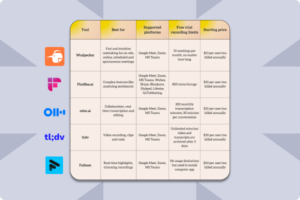
AI meeting note generators use speech recognition and natural language processing to convert spoken conversations into written text. Once the conversation has been transcribed, the AI analyzes it to identify the most important information instead of simply presenting a word-for-word transcript.
Depending on the tool, AI can automatically identify:
- Main discussion topics
- Important decisions
- Action items
- Assigned responsibilities
- Questions that remain unanswered
- Meeting summaries
- Follow-up tasks
This saves considerable time, especially for recurring team meetings, interviews, online classes, client discussions, and brainstorming sessions.
The final output is usually much easier to read than a raw transcript because unnecessary conversation, repeated phrases, and small talk are filtered out.
When Free AI Meeting Notes Are a Good Option
A free AI meeting note generator is often enough if you:
- Attend occasional online meetings
- Need notes for school lectures
- Record interviews
- Meet with freelance clients
- Join weekly team discussions
- Conduct user research interviews
- Organize project planning sessions
If your organization holds multiple meetings every day or requires advanced compliance features, you may eventually outgrow free plans. For personal use and small teams, however, free options are often sufficient.
What You Need Before You Start
Generating meeting notes with AI is straightforward, but a few basics make a noticeable difference.
You’ll need:
- A computer or mobile device
- A microphone with clear audio
- Internet access if using an online AI service
- A meeting platform such as Zoom, Google Meet, or Microsoft Teams, or an audio recording
- Permission to record the meeting if required by your workplace or local laws
Poor audio quality leads to inaccurate transcripts, which also reduces the quality of the AI summary.
Best Free AI Tools for Meeting Notes
Each tool approaches meeting notes differently. Some join meetings automatically, while others summarize uploaded recordings or transcripts.
| Tool | Free Plan | Best For | Limitations |
|---|---|---|---|
| ChatGPT | Yes | Summarizing transcripts | Requires transcript or meeting text |
| Google Gemini | Yes | Organizing notes and summaries | Depends on transcript quality |
| Otter.ai | Yes | Live transcription | Monthly usage limits |
| Fireflies.ai | Yes | Team meetings | Some advanced features require paid plans |
| Notta | Yes | Meeting transcription | Limited transcription minutes |
| Fathom | Yes | Zoom meeting summaries | Best suited for supported platforms |
The best choice depends on how you conduct meetings.
Method 1: Generate Meeting Notes Using ChatGPT for Free
If you already have a meeting transcript, ChatGPT can produce structured meeting notes in seconds.
Step 1: Obtain the Transcript
You can get a transcript from:
- Zoom
- Google Meet
- Microsoft Teams
- Otter.ai
- Voice recording transcription apps
- Speech-to-text tools
Even if the transcript contains minor errors, ChatGPT can usually identify the overall context.
Step 2: Paste the Transcript
Open ChatGPT and paste the transcript into the chat.
For long meetings, split the transcript into manageable sections if it exceeds the model’s input limit.
Step 3: Use a Clear Prompt
Instead of simply asking for a summary, tell the AI exactly how you want the notes organized.
For example:
Summarize this meeting into organized notes. Include the meeting objective, major discussion points, decisions made, action items, owners if mentioned, deadlines, and unanswered questions. Remove repeated conversation and filler.
The more specific your request, the more useful the output usually becomes.
Step 4: Review the Notes
AI occasionally misunderstands names, dates, or technical terminology.
Before sharing the notes:
- Verify action items
- Check deadlines
- Confirm names
- Ensure important decisions weren’t omitted
A quick review generally takes only a few minutes.
Method 2: Use Otter.ai’s Free Plan
Otter.ai is one of the most widely used AI transcription services.
Its free plan allows users to:
- Record meetings
- Generate live transcripts
- Produce AI summaries
- Highlight important moments
- Search conversations later
This method works particularly well for recurring meetings because the notes are created while the meeting is happening.
One limitation is the monthly transcription allowance. Heavy users may eventually need a paid subscription.
Method 3: Generate Notes from Recorded Audio
If your meeting has already ended, you can still create AI meeting notes.
The process usually looks like this:
- Save the meeting recording.
- Upload the audio file to a transcription service.
- Generate the transcript.
- Paste the transcript into an AI assistant.
- Request structured meeting notes.
This approach works well for interviews, webinars, lectures, podcasts, and recorded discussions.
Method 4: Use Google Gemini for Free
Google Gemini can also organize meeting transcripts into structured notes.
Instead of producing a simple summary, you can ask it to create sections such as:
- Meeting overview
- Key discussions
- Decisions
- Risks
- Action items
- Next meeting agenda
This is especially useful for project meetings where multiple decisions need to be tracked separately.
How to Get Better AI Meeting Notes
The quality of AI notes depends more on the meeting itself than many people realize.
A few simple habits can significantly improve the results.
Speak Clearly
AI transcription performs much better when participants avoid talking over one another.
If multiple people speak simultaneously, names and action items can become mixed together.
Reduce Background Noise
Fans, traffic, keyboard typing, and echoes all reduce transcription accuracy.
Using a headset microphone often produces noticeably cleaner results than relying on a laptop’s built-in microphone.
Identify Speakers
When participants introduce themselves or regularly mention names, many transcription tools are better able to separate speakers correctly.
This becomes particularly helpful during interviews or larger team meetings.
State Action Items Clearly
Instead of saying:
“Someone should finish that.”
Say:
“Sarah will complete the report by Friday.”
Clear language helps AI correctly identify assignments and deadlines.
Common Problems and How to Fix Them
The Summary Misses Important Details
AI may prioritize frequently discussed topics instead of critical decisions.
If that happens, ask the AI to focus specifically on:
- Decisions made
- Action items
- Deadlines
- Risks
- Outstanding questions
Changing the prompt is often enough to improve the result.
Speaker Names Are Incorrect
Speech recognition sometimes struggles with uncommon names or accents.
Most transcription tools allow you to edit speaker names before generating summaries.
Correcting names first usually improves the final notes.
Technical Terms Are Wrong
Industry-specific vocabulary can confuse transcription models.
Review sections containing:
- Product names
- Medical terminology
- Legal language
- Programming languages
- Company abbreviations
Correcting these terms before generating a summary leads to more accurate notes.
Long Meetings Produce Incomplete Summaries
Meetings lasting several hours may exceed the processing limits of some AI tools.
Instead of summarizing the entire transcript at once, divide it into logical sections, summarize each section separately, then combine the summaries into a final meeting report.
Free AI Tools vs Paid Plans
Free plans work well for many individuals, but there are trade-offs.
| Feature | Free Plans | Paid Plans |
|---|---|---|
| Live transcription | Usually limited | More generous limits |
| AI summaries | Available on many tools | More customization |
| Meeting history | Limited | Longer retention |
| Team collaboration | Basic | Advanced permissions |
| Integrations | Limited | Extensive integrations |
| Storage | Lower limits | Higher limits |
If you only need meeting notes a few times each month, a free plan is often enough.
Teams that depend on searchable meeting archives or automated workflows may benefit from upgrading later.
Privacy Considerations Before Recording Meetings
AI note-taking tools process conversations that may contain confidential information.
Before recording a meeting:
- Confirm that recording is permitted.
- Inform participants when required.
- Avoid uploading confidential discussions to services that don’t meet your organization’s privacy requirements.
- Review the provider’s data retention and privacy policies.
- Delete recordings that are no longer needed.
Some organizations prohibit third-party AI services entirely, so always follow your company’s policies.
Common Mistakes to Avoid
Several mistakes reduce the usefulness of AI-generated meeting notes.
One common issue is relying on the AI summary without checking it. While modern tools are remarkably accurate, they can still miss context, misunderstand speaker intent, or incorrectly assign action items.
Another mistake is using vague prompts. Asking for “a summary” often produces generic results. Asking for meeting objectives, decisions, responsibilities, deadlines, and follow-up tasks gives the AI a clearer target.
It’s also easy to overlook transcript quality. If the recording is noisy or incomplete, the summary will reflect those problems. Improving the audio source usually has a greater impact than switching to a different AI tool.
Finally, avoid storing sensitive recordings indefinitely. Keeping only the files you still need reduces unnecessary privacy risks.
Tips for More Useful Meeting Notes
If you regularly generate meeting notes with AI, a few habits can make the output more valuable over time.
Create a consistent structure for every meeting. Including sections for objectives, discussion points, decisions, action items, and next steps makes notes easier to scan and compare.
Review notes shortly after the meeting while details are still fresh. This is the best time to correct names, clarify decisions, or add context that may not have been obvious from the transcript alone.
For recurring meetings, maintain a running document of previous action items. This helps track progress instead of treating each meeting as an isolated event.
Final Thoughts
Learning how to generate meeting notes with AI for free can save hours of manual work while making it easier to capture decisions, responsibilities, and follow-up tasks accurately.
Free tools such as ChatGPT, Google Gemini, Otter.ai, Fireflies.ai, Notta, and Fathom all provide practical ways to turn conversations into organized notes, though each has different strengths and usage limits.
The best results come from combining a clear recording, an accurate transcript, and a well-written prompt. AI can handle much of the repetitive work, but a quick human review remains important to verify names, deadlines, and key decisions.
With that balance, you can produce meeting notes that are accurate, easy to share, and genuinely useful without paying for premium software.
Related Articles
- How to Write Better ChatGPT Prompts for Beginners
- ChatGPT Not Responding in Browser: How to Fix It
- How to Compare ChatGPT and Gemini for Coding Help
- How to Use AI to Organize Daily Tasks Without Making Your Day More Complicated
If you think there’s been a mistake here, please do let us know by commenting on this post or Contact Us. And a member of our Content Integrity Team will review this decision with you.