

Managing family safety on TikTok is not just about limiting how long a child can use the app. TikTok provides several controls that parents can use to manage screen time, restrict certain content, control search, limit interactions, and adjust privacy settings.
The main tool is Family Pairing, which links a parent or guardian’s TikTok account with a teen’s account so the adult can manage selected safety and wellbeing settings from their own device.
The right setup depends on the child’s age, how they use TikTok, and how much independence you want them to have. A younger teen may need stricter privacy and communication settings, while an older teen may benefit from gradually taking responsibility for more of their own account settings.
TikTok’s controls can provide useful guardrails, but they work best alongside regular conversations about strangers, inappropriate content, bullying, privacy, and suspicious messages.
What TikTok Family Pairing Does
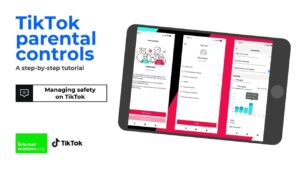
Family Pairing is TikTok’s built-in parental control system. It allows a parent or guardian to connect their TikTok account to a teen’s account and manage a range of content, privacy, and wellbeing settings. TikTok says the available controls can include screen time management, Restricted Mode, search, account privacy, comments, direct messages, and other safety settings.
The important distinction is that Family Pairing is not simply a way to monitor everything a teenager does. It is primarily a set of controls that lets parents establish boundaries around how the account can be used.
TikTok also recommends discussing these controls with teenagers rather than treating them as a secret surveillance system. That approach matters because technical restrictions cannot teach a child what to do when they encounter something inappropriate, receive an unwanted message, or come across an account that makes them uncomfortable.
Some settings and features can vary by age, region, and version of the TikTok app. TikTok’s current teen safety settings also apply different defaults to users between 13 and 15 and those between 16 and 17.
Before Setting Up TikTok Family Safety
Before changing settings, check the age attached to the teen’s TikTok account. Age matters because TikTok automatically applies different restrictions to younger users.
For example, TikTok states that direct messaging is unavailable for accounts belonging to users aged 13 to 15. For users aged 16 to 17, direct-message options depend on the account’s privacy settings and who is attempting to contact the user.
You should also update TikTok on both devices before setting up Family Pairing. The names or locations of controls can change as TikTok updates its app, so an older tutorial may show menus that no longer match the current interface.
It is also useful to decide what you actually want to accomplish. A family concerned mainly about excessive use will need a different configuration from a family dealing with unwanted messages or inappropriate content.
Think about these areas first:
- How much TikTok use is reasonable each day?
- Should the account be private?
- Should search be restricted?
- Should Restricted Mode be enabled?
- Who should be allowed to comment?
- Who should be able to contact the teen?
- Are there particular topics or keywords you want filtered?
- Should TikTok notifications be muted at certain times?
- Does the teen need access to TikTok’s search function at all?
Answering these questions makes it easier to configure the account without turning every available restriction on simply because it exists.
How to Set Up Family Pairing on TikTok
The exact menu wording can change between TikTok versions, but Family Pairing is accessed through TikTok’s account and privacy settings.
You need the parent or guardian’s TikTok account and the teen’s TikTok account. Both accounts should be signed in on their respective mobile devices.
Connect the Parent and Teen Accounts
- Open TikTok on the parent’s phone.
- Go to Profile.
- Tap the menu button in the upper-right corner.
- Open Settings and privacy.
- Find Family Pairing.
- Select the option for the parent or guardian.
- Follow the prompts to connect the teen’s account.
- On the teen’s device, open Family Pairing and choose the option for the teen.
- Complete the linking process shown by TikTok.
- Return to the parent’s account and review the available controls.
TikTok’s Family Pairing system is designed so the parent and teen accounts are linked rather than requiring the parent to use the teen’s password. TikTok’s own guidance also encourages families to discuss the controls and why they are being enabled.
If a setting is missing, do not assume that the feature has been removed. Some controls are age-dependent or can differ according to region and app version.
Use Screen Time Controls to Set Reasonable Limits
Screen time is one of the most useful Family Pairing controls because TikTok’s endless scrolling format makes it easy for a short session to turn into a much longer one.
Family Pairing allows parents to set limits on how long a teen can spend on TikTok. TikTok also provides screen time information that can help families understand usage patterns rather than relying entirely on guesswork.
A useful approach is to establish a limit that fits the child’s normal schedule. A school night, weekend, and holiday may not need identical rules.
Avoid treating the limit as the entire safety strategy. A teenager who reaches the limit may simply switch to another device or browser if access is available elsewhere. For households where that is a concern, device-level controls can complement TikTok’s own settings.
The goal should be predictable boundaries rather than constantly changing restrictions. If the rules change every day, the teenager is less likely to understand what is expected.
Turn on Restricted Mode for Younger Users
Restricted Mode is designed to limit the appearance of content that may not be appropriate for a general audience. It can reduce exposure to certain mature or complex themes in areas such as the For You feed.
This setting is useful for younger teens, but parents should understand its limitation. Restricted Mode is a content-filtering tool, not a guarantee that every unsuitable video will be blocked.
TikTok itself describes Restricted Mode as a way to limit the appearance of content that may not be appropriate for all audiences. That wording matters. The feature should be viewed as one layer of protection rather than a substitute for parental involvement.
If a child encounters content that slips through the filter, show them how to report it and explain why certain content may be inappropriate rather than simply telling them to close the video.
Control What Your Teen Can Search For
TikTok’s Family Pairing controls can also restrict the use of search. TikTok describes this as a way for parents to decide whether their teen can search for content, users, hashtags, or sounds.
Search deserves attention because safety is not limited to the videos that TikTok automatically recommends. A user can deliberately search for a topic, account, or hashtag that would not normally appear in their feed.
For younger teens, restricting search can provide another layer of protection. For older teens, completely removing search may be less practical, particularly if they use TikTok for school, hobbies, music, tutorials, or other legitimate interests.
If you allow search, teach the child to recognize suspicious results. A familiar-looking username is not proof that an account is genuine, and links or requests for personal information should be treated cautiously.
Make the Teen’s Account Private
Account privacy is one of the most important settings to review.
TikTok states that accounts belonging to users aged 13 to 15 are private by default. Users aged 16 to 17 can also have private accounts, although they can change the setting. On a private account, only people the user approves can follow them and view their posts and certain profile information.
For many families, keeping a teen’s account private is a sensible starting point.
A private account does not make the teenager invisible. Their nickname, username, and profile photo can still be visible to people on or off TikTok. TikTok also explains that content can have different visibility depending on the account and individual post settings.
Teach the teenager to think carefully before accepting follower requests. Someone having mutual followers, a familiar profile photo, or an attractive username does not necessarily mean the person is trustworthy.
Limit Comments and Public Interaction
Comments can become a source of bullying, harassment, unwanted attention, or simply unpleasant interactions.
TikTok allows users to control who can comment on their posts, with available choices depending on age and account settings. For users aged 13 to 15, TikTok limits commenting options more strictly than it does for older teens.
For a younger teen, limiting comments to friends can be more appropriate than allowing anyone to respond. If a particular video attracts unwanted attention, comments can also be disabled for that post.
Do not focus only on the number of comments. A single threatening, sexual, or manipulative message can be more serious than dozens of ordinary comments. Teach the teenager how to block and report accounts instead of engaging with someone who is deliberately provoking them.
Manage Direct Messages Carefully
Direct messages deserve special attention because they move conversations away from public posts and into private communication.
TikTok says direct messaging is unavailable for users aged 13 to 15. For users aged 16 to 17, the available options depend on account and privacy settings, and messages can be controlled through privacy settings.
If your teenager is old enough to have access to messaging, review who can contact them and discuss what a suspicious conversation looks like.
Warning signs include someone:
- Asking for a phone number or home address
- Asking the teen to keep the conversation secret
- Requesting private photographs
- Claiming to be much younger than they appear
- Pressuring the teen to move the conversation to another app
- Offering money, gifts, or opportunities in exchange for information or images
- Becoming angry when the teen refuses a request
The most useful rule is simple: your child should know they can show you an uncomfortable message without automatically being punished for receiving it.
That distinction encourages them to ask for help instead of hiding a problem.
Review Downloads, Duet, Stitch, and Reuse Settings
TikTok provides additional controls that affect how other people can interact with a teen’s videos.
For users aged 13 to 15, video downloads are disabled and cannot be turned on. TikTok also applies stricter defaults to features such as Duet and Stitch for this age group. For users aged 16 to 17, more options become available depending on whether the account is private or public.
These controls matter because posting a video is not always the end of its distribution. Depending on the settings, other users may be able to reuse or interact with content.
Parents should explain this before a teen starts posting publicly. A teenager may think a video is disappearing into the feed after a few hours, while another person could have interacted with or shared it.
Privacy settings cannot completely eliminate the possibility of copies or screenshots, so children should avoid posting information they would be uncomfortable seeing outside TikTok.
Use Keyword Filters for Specific Concerns
Keyword filtering can be useful when there are particular topics you do not want appearing in a teen’s For You feed.
TikTok’s Family Pairing materials describe keyword or hashtag filtering as a way for parents to add terms that should be filtered from the teen’s feed.
This works best when used for specific concerns rather than attempting to create an enormous list of words. Language changes quickly, and people can intentionally avoid filters by spelling words differently.
Keyword filters should therefore supplement, not replace, Restricted Mode and conversations about content.
If your teen repeatedly encounters a particular type of unwanted content, adding relevant terms can be useful. It is also worth reporting problematic content so TikTok receives information about it rather than relying only on your personal filter.
Manage Notifications and Nighttime Use
TikTok notifications can encourage frequent checking even when the teenager is not actively using the app.
Family safety settings can include controls around push notifications and scheduled periods when notifications are muted. TikTok’s family materials also describe notification controls as part of its broader wellbeing tools.
For many families, muting notifications overnight is more useful than imposing increasingly strict daily limits. A teen can still use TikTok during permitted hours without being repeatedly prompted to return to the app.
Device-level bedtime controls can also help if TikTok is only one of several apps competing for attention.
Teach Your Teen How to Report and Block Accounts
Parental controls cannot prevent every unwanted interaction. Your teenager should know what to do when something goes wrong.
TikTok provides reporting options for accounts, posts, comments, direct messages, bullying, sexual abuse, impersonation, and other problems.
The basic response to a concerning interaction should usually be:
- Stop engaging with the person.
- Save relevant evidence if it may be needed later.
- Block the account when appropriate.
- Report the account, message, or content through TikTok.
- Tell a trusted adult if the situation involves threats, sexual content, blackmail, grooming, or other serious behavior.
If there is an immediate real-world safety concern, TikTok’s reporting system should not be treated as a substitute for contacting appropriate emergency or professional support.
Common Mistakes Parents Make With TikTok Safety
One common mistake is assuming that turning on Restricted Mode solves the entire problem. It only addresses part of the content experience, and unsuitable material can still require judgment and reporting.
Another mistake is focusing entirely on screen time. Excessive use can be a problem, but reducing minutes does not automatically protect a child from scams, bullying, unwanted contact, or privacy problems.
It is also easy to make the rules so restrictive that the teenager starts looking for ways around them. A better arrangement is to explain the reason for each important restriction and gradually adjust it as the child’s judgment improves.
Finally, do not assume that TikTok controls cover every way your child can access TikTok. If the app is also available through a browser or another device, consider the corresponding controls on that device. TikTok’s parental-control documentation notes that Family Pairing controls are designed for the mobile app, so families should consider device or browser controls where relevant.
A Practical TikTok Safety Setup for Families
For a younger teenager, a reasonable starting configuration is:
- Keep the account private.
- Enable Restricted Mode.
- Set an appropriate daily screen-time limit.
- Restrict search if there is a specific reason to do so.
- Keep direct messaging unavailable where age restrictions already apply.
- Limit comments and other interactions to trusted connections.
- Review who follows the account.
- Use keyword filters for specific recurring concerns.
- Mute notifications during sleep or study periods.
- Teach the child how to block and report accounts.
For an older teenager, you may loosen some settings while keeping privacy and communication rules in place. The important point is to adjust controls based on demonstrated judgment rather than age alone.
Family safety is also easier when the teenager knows exactly what the rules are. A short conversation about privacy, strangers, screenshots, suspicious links, and reporting can be more valuable than silently changing dozens of settings.
How to Review TikTok Safety Settings Over Time
Do not configure Family Pairing once and forget about it.
TikTok changes features, and teenagers’ usage patterns change as well. A setting that made sense when the account was created may become unnecessarily restrictive or insufficient later.
Review the setup periodically and ask the teenager practical questions:
- What types of videos are you seeing most often?
- Have strangers tried to contact you?
- Are there accounts you want to block?
- Have you seen anything that made you uncomfortable?
- Are the current screen-time limits realistic?
- Are there settings you do not understand?
These questions give you information that a settings screen cannot provide.
If your teen reports a problem, investigate the specific issue instead of immediately increasing every restriction. The goal is to identify the risk and choose the control that addresses it.
When TikTok’s Built-In Controls Are Not Enough
TikTok’s Family Pairing tools are useful, but they are not a complete parental-control system for the entire device.
If you need to restrict access to TikTok at certain hours, control browser access, manage app installations, or establish broader device limits, the phone’s built-in parental controls may be necessary as another layer.
For example, a child who reaches a TikTok limit could potentially switch to a browser if TikTok is accessible there. Device-level controls can address that broader problem instead of trying to solve everything through TikTok itself.
The same principle applies to other social platforms. A safe TikTok configuration does not automatically make Instagram, Snapchat, YouTube, messaging apps, or online games safe. Family rules should cover the child’s overall digital environment.
Final Thoughts
Learning how to manage family safety on TikTok is less about finding one perfect setting and more about combining the controls that address your family’s actual concerns.
Family Pairing gives parents a central way to manage important areas such as screen time, Restricted Mode, search, privacy, comments, and communication, while TikTok’s age-based defaults provide additional protections for younger users.
Start with privacy and communication, then adjust content and screen-time controls according to your child’s age and behavior. Keep checking the settings as TikTok changes and as your teenager becomes more independent.
Most importantly, make sure your child knows what to do when something goes wrong. A private account, restricted content, and screen-time limit can reduce risk, but a teenager who knows how to recognize suspicious behavior, block an account, report harmful content, and ask a trusted adult for help has another important layer of protection.
If you think there’s been a mistake here, please do let us know by commenting on this post or Contact Us. And a member of our Content Integrity Team will review this decision with you.



