Organizing project tasks with AI can turn a messy list of ideas, deadlines, messages, and unfinished work into a clear plan that shows what needs to happen, who should handle it, and what should come next. The key is not to let AI manage the entire project blindly. Use it to break down large goals, identify missing steps, prioritize work, create schedules, and keep task information organized while you make the final decisions.
AI is particularly useful when a project has many moving parts. A product launch, website redesign, marketing campaign, school project, software release, or business event can quickly generate dozens of tasks. Manually sorting all of them takes time and makes it easier to overlook dependencies or assign work without considering deadlines and available capacity.
The most effective approach is to give AI enough project context, turn the output into specific tasks, organize those tasks around milestones and dependencies, and then review the plan before anyone starts working.
What AI Can Do for Project Task Organization
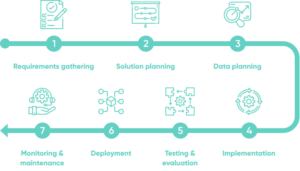
AI does not replace basic project management principles. It makes several repetitive parts of project planning faster.
For example, AI can take a rough project description such as “launch a new company website in six weeks” and turn it into categories such as research, content, design, development, testing, and launch preparation. It can then suggest smaller tasks under each category.
Modern project management platforms are already using AI for similar functions. Asana’s AI features can suggest project sections and custom fields, recommend subtasks, summarize project activity, and help identify priorities. ClickUp’s AI features can work with tasks, documents, conversations, and project information, while Trello can generate boards and checklists from project descriptions.
AI is most useful for five areas:
- Breaking large goals into smaller tasks
- Improving unclear task descriptions
- Identifying dependencies between tasks
- Prioritizing work based on deadlines and impact
- Turning task information into schedules, summaries, and updates
The important distinction is that AI can suggest an organized structure, but the project owner still needs to verify whether that structure makes sense.
Start With the Project Outcome, Not a List of Tasks
A common mistake is asking AI to organize tasks before explaining what the project is supposed to accomplish.
Start with the outcome.
Instead of giving AI a list such as:
- Write content
- Design homepage
- Contact developer
- Test website
- Create graphics
- Buy domain
Explain the larger objective first.
For example:
“I am launching a small business website in six weeks. The site needs five pages, a contact form, mobile compatibility, basic search optimization, analytics, and a final review before launch.”
This gives AI useful context. It can now recognize that some tasks belong together and that certain activities must happen before others.
You should also provide information that affects the plan, including:
- Final deadline
- Major milestones
- Available team members
- Estimated budget if relevant
- Existing work that is already complete
- Known dependencies
- Tasks that cannot start until another task finishes
- Important approval requirements
The more specific the input, the less generic the resulting task list is likely to be.
Turn a Large Project Into Manageable Tasks
Large tasks often look organized but are difficult to execute.
“Build website” is not a useful task for most teams because it represents many different activities. A developer cannot easily determine what the task includes, and a project manager cannot accurately estimate its progress.
Ask AI to break the project into deliverable-based tasks.
For example, “Build website” might become:
- Confirm page requirements
- Create the site structure
- Prepare page copy
- Create homepage design
- Review design
- Build homepage
- Build remaining pages
- Configure contact form
- Test mobile layouts
- Test forms and links
- Check page performance
- Complete final review
- Publish the website
These tasks are much easier to assign and track.
A good task should describe a result rather than a vague intention. “Review homepage design and approve final layout” is more actionable than “Homepage.”
Ask AI to flag tasks that are too broad and divide them into smaller steps where necessary.
Use Subtasks for Work That Has a Clear Parent
You should not turn every tiny action into a separate project task. That creates unnecessary clutter.
If several actions contribute to one meaningful piece of work, use subtasks.
For example:
Task: Publish product landing page
Subtasks:
- Finalize headline
- Review product images
- Add page copy
- Configure form
- Test mobile layout
- Check links
- Request approval
This keeps the project hierarchy understandable.
Tools such as Asana and ClickUp support subtasks specifically for breaking larger work into smaller components.
Ask AI to Find Missing Tasks
One of the most useful applications of AI is finding work that people forgot to include.
Humans tend to focus on the visible deliverable. AI can be asked to examine the plan from different perspectives.
After creating your initial task list, ask:
“Review this project plan and identify important tasks that are missing. Look specifically for approvals, testing, communication, dependencies, preparation, quality checks, and post-launch work.”
For a software project, this could reveal tasks such as backup procedures, test environments, security checks, documentation, user acceptance testing, and rollback planning.
For a marketing campaign, AI might identify approval deadlines, tracking setup, creative variations, reporting, and post-campaign analysis.
Do not automatically accept every suggestion. Some recommendations will be unnecessary for your particular project. The value comes from using AI as a second set of eyes.
Organize Tasks Around Milestones
A long task list becomes easier to understand when it is connected to milestones.
A milestone is a significant point in the project, such as:
- Requirements approved
- Design completed
- Development finished
- Testing completed
- Client approval received
- Product launched
Ask AI to group your tasks under the milestones they support.
For example:
Milestone: Design Approved
- Gather design requirements
- Create wireframes
- Prepare visual design
- Review internally
- Collect stakeholder feedback
- Apply revisions
- Obtain final approval
This structure makes progress easier to measure. Instead of asking whether 20 individual tasks are finished, you can also see whether an important project stage has actually been completed.
Use AI to Identify Task Dependencies
Dependencies are relationships between tasks where one piece of work depends on another.
For example, a developer may not be able to build a page until the design has been approved. A marketing team may not be able to publish an advertisement until the creative has been reviewed.
Ask AI to examine your task list and identify dependencies.
A useful prompt is:
“Review these tasks and identify which tasks must happen before others. Explain the dependency and flag any sequence that could delay the project.”
AI might organize a sequence like this:
Research → Requirements → Design → Development → Testing → Approval → Launch
The exact order will depend on the project. Some activities can happen simultaneously, while others cannot.
This is why dependency suggestions should be reviewed by someone familiar with the actual work. AI may understand the logical relationship between tasks without knowing your team’s specific workflow.
Project management platforms can represent these relationships directly. ClickUp, for example, provides task relationships and dependencies as part of its task management system.
Let AI Help Prioritize the Task List
Not every task deserves equal attention.
A deadline tomorrow may matter more than a task that would be useful but has no immediate impact. Similarly, a task blocking three other people deserves attention even if it looks small.
Ask AI to categorize tasks according to factors such as:
- Urgency
- Project impact
- Dependency
- Deadline
- Effort
- Risk
- Business importance
You can ask for a simple priority system:
High: Must be completed soon or blocks important work
Medium: Important but does not currently block progress
Low: Useful work that can wait if higher-priority tasks require attention
Give AI the actual deadlines and dependencies when possible. Otherwise, it may prioritize tasks based on wording rather than real project consequences.
A useful prompt is:
“Prioritize these tasks based on deadline, project impact, dependencies, and risk. Explain why each high-priority task should be handled first.”
This explanation is important. A ranking without reasoning is harder to trust and review.
Give Every Task an Owner and Due Date
An organized task without an owner is still a problem.
For team projects, every actionable task should have someone responsible for moving it forward. That does not necessarily mean that person must do every part of the work, but there should be clear accountability.
AI can suggest owners when it knows the team’s roles and responsibilities. Some AI project management systems can also generate structured tasks with suggested owners and deadlines from notes or project requests.
However, do not allow AI to assign work without checking actual availability.
If one designer is already responsible for six urgent tasks, assigning three more because AI thinks the person has the right role creates a bottleneck rather than solving one.
Provide AI with information about team capacity when asking it to create assignments.
Use AI to Create a Realistic Schedule
Once tasks, owners, deadlines, and dependencies are defined, AI can help turn them into a schedule.
Ask it to consider:
- Project deadline
- Task duration
- Dependencies
- Team availability
- Existing commitments
- Review periods
- Buffer time
For example:
“Create a six-week project schedule from this task list. Account for dependencies, allow two business days for stakeholder reviews, and avoid assigning more than three high-effort tasks to the same person in one week.”
The resulting schedule should be treated as a planning draft.
AI cannot know everything that happens inside your organization. A task that looks like a two-hour job may take a week if it requires information from another department.
Some project platforms now use AI to plan work around deadlines, priorities, and capacity and adjust schedules when circumstances change.
Keep the Task Information Consistent
AI works better when task information follows a consistent structure.
For important projects, consider using fields such as:
| Field | Purpose |
|---|---|
| Task name | Clearly describes the work |
| Owner | Shows who is responsible |
| Status | Shows current progress |
| Priority | Indicates urgency or importance |
| Due date | Defines the expected completion date |
| Milestone | Connects the task to a project outcome |
| Dependency | Shows what must happen first |
| Notes | Provides important context |
You do not need every possible field. Too many fields can make task management harder.
Choose the information your team actually uses and keep it consistent.
AI features such as Asana’s Smart Fields can help populate task information automatically, while AI-generated summaries can make large projects easier to review.
Use AI to Clean Up an Existing Messy Task List
You do not have to start a new project from scratch.
AI can also help reorganize an existing list containing duplicate, vague, outdated, or unrelated tasks.
Paste the list into an AI assistant and ask it to:
- Remove obvious duplicates.
- Group related tasks.
- Identify tasks that are too vague.
- Separate major tasks from subtasks.
- Identify dependencies.
- Flag tasks with missing owners or deadlines.
- Suggest priorities.
- Identify tasks that appear outdated.
- Create a cleaner project hierarchy.
Do not ask AI to delete questionable tasks automatically. A task that looks unnecessary may exist for a reason that is not obvious from its title.
Instead, ask AI to flag possible duplicates or obsolete items for human review.
Trello, for example, provides AI features that can merge related or duplicate cards and generate checklists from card information, while allowing users to review and edit the results.
Turn Meetings and Notes Into Project Tasks
Project work often gets lost in meeting notes.
Someone says, “John will prepare the report by Friday,” but that commitment may never become a formal task.
AI can help extract action items from meeting notes, transcripts, emails, and project discussions.
A useful prompt is:
“Extract every actionable item from these meeting notes. For each item, provide the task, responsible person if explicitly stated, deadline if explicitly stated, related project area, and any dependency. Do not invent missing information.”
The last sentence matters.
If the meeting notes do not specify a deadline, AI should not make one up and present it as fact. Mark it as “deadline not specified” instead.
This simple rule prevents AI-generated task lists from quietly introducing false information.
Review AI-Generated Tasks Before They Enter the Project
AI-generated organization can look convincing while still being wrong.
Before turning suggestions into actual project commitments, check:
- Is every task necessary?
- Are the tasks specific enough?
- Are the owners correct?
- Are deadlines realistic?
- Are dependencies accurate?
- Are there duplicate tasks?
- Has completed work been removed?
- Are important approvals included?
- Does the sequence match how the team actually works?
This review should be especially careful when the project involves financial decisions, security, compliance, legal requirements, customer data, or production systems.
AI can organize information very quickly, but speed is not the same as correctness.
Choose an AI Tool Based on the Way You Work
You do not necessarily need a separate AI task manager.
If your team already uses a project management platform, its built-in AI features may be enough.
Asana supports AI-assisted project creation, task breakdown, summaries, prioritization, and workflow automation. ClickUp combines AI with tasks, documents, conversations, dependencies, priorities, and project hierarchy. Trello is a simpler option for teams that prefer boards and cards, with AI features for board creation, checklists, card merging, and scheduling assistance.
The right choice depends on project complexity.
A small personal project may only need an AI assistant and a simple task list. A large team with dependencies, multiple owners, milestones, reporting, and workload concerns will usually benefit from dedicated project management software.
The important part is not choosing the tool with the longest AI feature list. It is choosing a system that your team will actually maintain.
Common Mistakes When Using AI for Project Tasks
AI can make task organization faster, but several mistakes can make the resulting project harder to manage.
Creating too many tasks
Breaking everything into microscopic actions produces an overwhelming task list. Use separate tasks for meaningful pieces of work and subtasks for supporting steps.
Accepting AI priorities without context
AI may see an urgent-sounding task and rank it highly even though another task is actually blocking the entire project.
Giving AI incomplete information
If you provide only a deadline and a project name, expect a generic plan. Include constraints, team roles, dependencies, and existing work when they matter.
Allowing AI to invent missing details
Tell AI not to assume deadlines, owners, budgets, requirements, or approvals that were not provided.
Never updating the plan
A project plan is not finished when AI creates it. Tasks change, deadlines move, and new dependencies appear. The system should be reviewed as the project progresses.
Using multiple AI tools without a source of truth
If tasks exist in a spreadsheet, project management app, chat application, and several AI assistants, confusion can increase instead of decrease.
Choose one location as the authoritative task list.
A Practical AI Workflow for Organizing Any Project
You can use the following process for most projects:
- Define the outcome. Explain exactly what the project must deliver.
- Give AI the constraints. Include deadlines, people, resources, requirements, and known limitations.
- Generate the initial task structure. Ask AI to divide the project into phases, milestones, tasks, and subtasks.
- Find missing work. Ask AI to inspect the plan for overlooked activities.
- Identify dependencies. Determine which tasks must happen before others.
- Set priorities. Rank tasks using urgency, impact, dependencies, and risk.
- Assign owners. Match tasks with people based on actual responsibilities and capacity.
- Create the schedule. Add realistic dates and sufficient review time.
- Move the approved plan into your task manager. Keep one authoritative source for project work.
- Review regularly. Use AI to summarize progress, identify blockers, and suggest adjustments.
This workflow keeps AI in a useful supporting role. It handles the repetitive organization while people remain responsible for decisions that require project knowledge and judgment.
Final Thoughts
Learning how to organize project tasks with AI is less about handing a project over to an AI assistant and more about using AI where it is genuinely useful. It can break large goals into manageable work, identify missing tasks, organize dependencies, suggest priorities, clean up messy task lists, and turn meeting notes into actionable items.
The strongest results come from giving AI clear project information and then reviewing its suggestions before they become commitments. Keep owners, deadlines, priorities, and dependencies visible, use one source of truth for the actual project plan, and update that plan as circumstances change.
AI can make project organization considerably faster, but the quality of the project still depends on the quality of the decisions behind it. Use AI to reduce administrative work and improve visibility, while keeping important planning decisions under human control.
If you think there’s been a mistake here, please do let us know by commenting on this post or Contact Us. And a member of our Content Integrity Team will review this decision with you.