

Losing access to your Facebook account after it’s been hacked can be frustrating, especially if Facebook asks you to verify your identity and you don’t have a government-issued ID available.
The good news is that many people can recover a hacked Facebook account without uploading an ID, provided they still have access to their email address, phone number, or trusted account information.
The recovery process depends on what the attacker changed after taking over your account. If they only changed your password, recovery is usually straightforward.
If they also changed your email address, phone number, or enabled two-factor authentication (2FA), you’ll need to use Facebook’s account recovery tools in a specific order.
This guide explains every practical method you can try before resorting to identity verification, along with common problems that prevent people from regaining access.
Understand What Happens When a Facebook Account Is Hacked
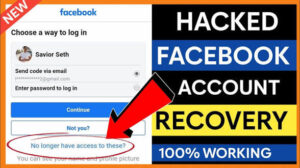
Hackers rarely stop at changing your password.
Their goal is usually to lock you out completely by changing your recovery information. They may:
- Change your password
- Replace your recovery email
- Remove your phone number
- Enable two-factor authentication on their own device
- Log you out of all active sessions
- Post spam or scams using your account
- Change your profile information
The sooner you begin recovery, the better your chances. Facebook keeps records of recent security changes, and some recovery options are only available for a limited time.
Before You Start
Gather any information you still have access to.
This may include:
- Your original email address
- Your phone number linked to Facebook
- An old Facebook password you remember
- The name shown on your profile
- A browser or device you’ve used to log into Facebook before
Using a familiar device and internet connection can improve your chances because Facebook recognizes devices you’ve previously trusted.
For example, if you usually logged in from your home laptop, avoid attempting recovery from a brand-new phone using mobile data unless necessary.
Method 1: Recover Using Facebook’s Hacked Account Page
If you believe someone else accessed your account, Facebook provides a dedicated recovery page.
- Visit Facebook’s Hacked Account recovery page.
- Enter your email address, phone number, username, or full name.
- Select your account.
- Follow the prompts to secure it.
- Choose a recovery method if Facebook offers one.
This process often works when the hacker changed only your password.
Facebook may ask you to confirm:
- Recent passwords
- Login locations
- Security codes
- Devices you’ve previously used
These checks can replace ID verification in many situations.
Method 2: Reset Your Password Using Your Email or Phone
If your recovery email or phone number still belongs to you, this is usually the fastest solution.
- Go to Facebook’s password reset page.
- Search for your account.
- Select your recovery email or phone.
- Enter the verification code.
- Create a new password.
Choose a password you’ve never used before.
A strong password should:
- Be at least 12 characters
- Include uppercase and lowercase letters
- Include numbers
- Include symbols
- Be unique to Facebook
Avoid reusing passwords from other websites.
Method 3: Recover the Account After the Hacker Changed Your Email
Many people assume their account is permanently lost when they notice the hacker changed the email address.
That isn’t always true.
Facebook usually sends a security notification to your original email whenever the account email changes.
Open your inbox and search for messages from Facebook containing phrases like:
- Your email was changed
- Was this you?
- Secure your account
If the change wasn’t made by you, the message often contains a link allowing you to reverse the change.
This option works best if you act quickly after the attack.
If several days or weeks have passed, the reversal link may expire.
Method 4: Recover Using an Old Password
Facebook sometimes recognizes previously used passwords during recovery.
When asked whether you know an old password, provide the most recent one you remember.
Even if it no longer works for logging in, Facebook may use it as evidence that you’re the legitimate account owner.
Many users skip this step because they assume only the current password matters.
It doesn’t.
Previous passwords are valuable recovery information.
Method 5: Use a Recognized Device
Facebook continuously evaluates login behavior.
It considers factors such as:
- Device history
- Browser cookies
- Login locations
- IP addresses
- Operating system
If you’re attempting recovery from the same computer you regularly used before the hack, Facebook is more likely to recognize the login attempt as legitimate.
Avoid clearing browser cookies until recovery is complete.
Doing so may remove information Facebook uses to recognize your device.
Method 6: Recover Through Your Mobile Number
If your phone number remains connected to the account, request an SMS verification code instead of using email.
This method can succeed even if your email address has been removed.
Check that:
- Your SIM card is active.
- You have cellular service.
- SMS messages are not blocked.
- The number is entered correctly.
If codes never arrive, wait several minutes before requesting another one.
Repeated requests within a short period can temporarily delay new codes.
What If the Hacker Enabled Two-Factor Authentication?
This is one of the most difficult situations.
The attacker may have activated an authenticator app or security key that you don’t control.
First, complete password recovery.
Afterward, Facebook may offer options such as:
- Confirming from a trusted device
- Using previously saved recovery codes
- Completing additional security checks
If none of these options appear, Facebook may eventually require identity verification.
Unfortunately, there is no legitimate way to bypass two-factor authentication once it is fully controlled by someone else.
Be cautious of websites or videos claiming otherwise. They are almost always scams designed to steal your information.
If Facebook Doesn’t Ask for an ID
Many successful recoveries happen without uploading identification.
Facebook decides which verification method to use based on several factors, including:
- How much account information still matches your history
- Whether you’re using a recognized device
- Whether your recovery email or phone still exists
- Your recent login history
- The overall risk score of the recovery attempt
If Facebook provides recovery codes instead of requesting ID, complete that process before trying other methods.
Changing recovery methods repeatedly can sometimes delay account recovery.
What to Do If Recovery Emails Never Arrive
Recovery emails occasionally end up somewhere unexpected.
Check:
- Spam folder
- Junk folder
- Promotions tab
- Trash folder
Search your mailbox for:
- security
- reset
- password
- noreply
If you still receive nothing, verify that you’re searching with the same email address originally linked to the account.
Many people accidentally search using a newer email instead of the one used when the Facebook account was created.
Recovering an Account When Both Email and Phone Were Changed
This is the most challenging scenario without ID verification.
Start by searching for your account using:
- Your full name
- Facebook username
- Profile URL
If Facebook recognizes the account, it may provide alternative recovery methods based on previous login history.
If every recovery option points to the hacker’s contact information and no additional verification methods are offered, there may be no way to recover the account without proving ownership through identity verification.
This is one of the few situations where Facebook’s ID request serves an important security purpose.
Common Recovery Mistakes
People often make recovery harder by taking unnecessary actions.
Avoid these mistakes.
Creating a New Facebook Account Immediately
Doing so doesn’t help recover the hacked account.
It can also create confusion if you later contact Facebook support.
Recover the original account first whenever possible.
Trying Too Many Password Resets
Repeated failed attempts may temporarily limit recovery options.
If Facebook tells you to wait, give it several hours before trying again.
Using Unofficial Recovery Services
No third-party company can restore access to your Facebook account.
Anyone promising guaranteed recovery for a fee is almost certainly running a scam.
Never share:
- Recovery codes
- Password reset links
- Authentication codes
- Email verification codes
Facebook employees will never ask for these.
Ignoring Security Emails
Security notifications often contain the fastest recovery option.
Read every message carefully before deleting it.
What to Do After You Recover Your Account
Recovering the account is only the first step.
Secure it immediately.
Change Your Password
Choose a completely new password.
Avoid using passwords that have appeared in previous data breaches.
A password manager can generate and store a unique password for every account you own.
Review Active Sessions
Check every device currently logged into Facebook.
Sign out of any unfamiliar devices.
If you notice unknown locations, end those sessions immediately.
Update Recovery Information
Confirm that:
- Your email address is correct.
- Your phone number belongs to you.
- No unfamiliar recovery methods remain attached.
Remove anything you don’t recognize.
Enable Two-Factor Authentication
Once your account is secure again, enable two-factor authentication yourself.
Using an authenticator app generally provides better security than SMS verification alone.
Be sure to save your recovery codes in a secure location.
Many people overlook this step and regret it later when changing phones.
Review Connected Apps
Hackers sometimes authorize third-party applications.
Remove apps you don’t recognize or no longer use.
Also review recent security activity to ensure there were no additional unauthorized changes.
Can Facebook Support Recover Your Account Without ID?
Facebook has very limited direct customer support for standard accounts.
Most recovery requests go through automated systems.
If Facebook determines there isn’t enough evidence to verify ownership through passwords, devices, recovery contacts, or login history, it may eventually request government-issued identification.
There is no official support channel that can manually bypass this requirement simply because you don’t have an ID available.
Frequently Asked Questions
Can I recover a hacked Facebook account without an email?
Yes, if your phone number is still linked to the account or Facebook recognizes your previous devices and login history.
Can I recover my account without a phone number?
Yes. Recovery through your email address, previous passwords, or recognized devices may still work.
How long does Facebook account recovery take?
Simple password resets can take only a few minutes.
More complicated cases involving security reviews may take several days.
Can I recover my Facebook account if the hacker changed everything?
Sometimes, yes.
If Facebook still recognizes your previous devices or account history, additional recovery options may appear. However, if all recovery information has been replaced and Facebook cannot verify ownership through other signals, identity verification may be required.
Can someone else recover my account for me?
No.
Only the legitimate account owner should complete Facebook’s recovery process. Anyone claiming they can “hack back” into your account or bypass Facebook’s security is not offering a legitimate service.
Final Thoughts
If you’re trying to recover a hacked Facebook account without ID, start with the recovery options that rely on information you already control: your email address, phone number, old passwords, and trusted devices. In many cases, these are enough to prove ownership and regain access without uploading identification.
Act quickly after discovering the compromise, use Facebook’s official recovery tools, and avoid third-party services that promise guaranteed account recovery.
Once you regain access, update your password, review your security settings, and enable two-factor authentication so the account is better protected against future attacks.
Related Articles
- How to Protect Your LinkedIn Account From Scammers
- How to Recover a Disabled Instagram Account
- How to Stop Autoplay Videos on Facebook
- How to Recover a Suspended TikTok Account
If you think there’s been a mistake here, please do let us know by commenting on this post or Contact Us. And a member of our Content Integrity Team will review this decision with you.



