

If your LinkedIn profile is rarely appearing in searches, the problem may not be your experience. Often, the profile simply does not give LinkedIn enough clear information about what you do, the problems you solve, or the roles you want to be associated with. Learning how to improve LinkedIn profile visibility means making your profile easier to understand, easier to find through relevant searches, and more useful once someone lands on it.
LinkedIn visibility also extends beyond the search box. Your name and headline can appear in search results, posts, comments, network recommendations, and other areas of LinkedIn. LinkedIn calls these appearances different from profile views, so increasing visibility is about getting your profile shown in more relevant places, not simply collecting visits.
Start With the Type of Visibility You Actually Want
Before changing your profile, decide who you want to find you.
A job seeker might want recruiters to discover them for a specific role. A freelancer may want potential clients searching for a particular service. A consultant might want executives in a specific industry to recognize their expertise. Someone building a professional reputation may care more about being discovered through posts and comments than appearing for job-related searches.
This distinction matters because a profile optimized for “software engineer” is very different from one designed to attract clients looking for “WordPress performance optimization.”
Write down three things:
- The people you want to find your profile
- The work, service, or expertise you want associated with your name
- The searches those people might perform on LinkedIn
For example, a cybersecurity professional targeting security leadership roles might identify terms such as “cloud security,” “security operations,” “incident response,” “SIEM,” and “security engineering.” These are more useful than simply repeating a broad term such as “technology professional.”
The goal is not to insert as many keywords as possible. It is to make the profile accurately describe your professional focus.
Make Your LinkedIn Headline More Searchable
Your headline is one of the most important parts of the profile because it appears in places beyond your profile page. It can influence what someone understands about you when they encounter your name in search results, comments, messages, or recommendations.
A headline such as:
Marketing Professional | Experienced | Results Driven
does very little to explain what the person actually does.
A stronger version might be:
B2B Content Strategist | SEO Content | SaaS Marketing | Organic Growth
The second headline gives readers several specific concepts they can immediately associate with the person.
Your headline should answer a simple question: What do you want to be known for?
If you are actively looking for a job, include the role or specialization you are targeting when it accurately represents your goals. If you provide a service, describe the service and the type of client you help.
Avoid turning the headline into a list of unrelated keywords. A recruiter searching for one specific skill is more likely to trust a profile where the terminology makes sense together.
Put Important Keywords in the About Section
The About section gives you considerably more room to explain your professional background than the headline.
Instead of writing a generic biography, use the section to explain what you do, who you help, the areas you specialize in, and the kinds of problems you solve.
For example, a data analyst could naturally mention:
- SQL
- Python
- Power BI
- dashboard development
- data visualization
- business reporting
- customer analytics
But those terms should appear in meaningful sentences rather than being placed together as a keyword list.
A useful About section might begin by describing the professional problem you solve:
I help businesses turn operational data into reports and dashboards that make day-to-day decisions easier.
It can then explain the person’s experience, tools, areas of specialization, and the types of projects they handle.
This approach helps two audiences at once. LinkedIn gets clearer information about the profile, while human visitors can quickly determine whether the person’s expertise is relevant to them.
Treat Your Experience Section as More Than a Job History
A common LinkedIn mistake is copying job titles and company names from a résumé and leaving the description almost empty.
Your Experience section can provide much stronger evidence of what you actually know.
For each relevant position, explain:
- What your responsibility was.
- What tools, technologies, or methods you used.
- What type of work you performed.
- What business or technical problems you addressed.
- What measurable outcomes you can legitimately describe.
Compare these two descriptions:
Responsible for managing social media accounts.
with:
Managed LinkedIn, Instagram, and Facebook content for B2B campaigns, developed monthly content calendars, monitored engagement metrics, and worked with the sales team to improve lead generation from social channels.
The second description contains useful context without turning the profile into a keyword dump.
Use the terminology professionals in your field actually use. If your job is officially called “Digital Marketing Specialist” but your work involves technical SEO, content strategy, Google Analytics, and conversion optimization, those areas should appear naturally in the relevant experience description.
Build a Relevant Skills Section
LinkedIn allows members to add up to 100 skills, but filling all available spaces is not necessarily the best strategy.
Focus on skills that support the professional direction you want to pursue.
For example, a software developer targeting backend roles might prioritize relevant technologies, programming languages, databases, APIs, testing, and cloud platforms that they genuinely use.
Someone moving toward project management might emphasize project planning, stakeholder management, risk management, Agile methodologies, budgeting, and the tools they actually work with.
Remove skills that are outdated, irrelevant, or unrelated to the roles you want.
The strongest profile does not attempt to look qualified for everything. It creates a clear picture of a particular professional capability.
Complete the Profile Sections That Support Your Expertise
Profile completeness can affect discoverability, and LinkedIn’s own profile guidance says adding sections and information can help improve discoverability in search results.
That does not mean every available section needs to be filled with generic information.
Add sections when they provide evidence or context that strengthens your professional identity. Depending on your situation, useful additions may include:
- Education
- Certifications
- Projects
- Publications
- Languages
- Volunteer experience
- Courses
- Recommendations
- Featured work
- Professional organizations
A certification is particularly useful when it supports the role you are targeting. A project can be more persuasive than a claim because it gives visitors something concrete to evaluate.
The principle is simple: complete the profile with information that helps someone understand your capabilities.
Use the Featured Section to Give Visitors Evidence
The Featured section is useful when you have work that demonstrates your skills.
A writer could feature published articles. A designer could display selected projects. A developer might feature a GitHub project, technical article, or portfolio project. A consultant could showcase a case study, presentation, or useful industry resource.
This section does not directly replace the information in your profile. It supports it.
If your About section says you specialize in SEO, for example, a collection of strong SEO projects or articles gives visitors something concrete to examine.
Avoid adding every piece of work you have ever created. Select examples that reinforce the professional identity you are trying to establish.
Turn On the Right Profile Visibility Settings
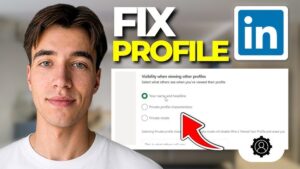
Even a well-optimized profile has a problem if important visibility settings prevent people from finding it.
LinkedIn allows you to control how your profile appears both to LinkedIn members and to people using external search engines. Some profile information can appear in Google, Bing, and other search tools depending on your public profile settings.
To review these settings on LinkedIn, look under your profile’s public visibility and visibility settings. The exact interface can change, so use the current labels displayed in your account.
If your goal is maximum professional discoverability, check that:
- Your public profile is enabled.
- Important profile sections are allowed to appear publicly.
- Your profile photo has an appropriate visibility setting.
- Your name is displayed in a way that allows your public profile to be indexed.
- Your profile can be discovered by the people you want to reach.
LinkedIn states that a public profile can appear in search engines and that public-profile changes may take weeks or months to be reflected by external search tools.
This is important because changing your profile today does not guarantee that Google will display the new version tomorrow.
Use a Professional Profile Photo
A profile photo does not make someone more qualified, but it makes the profile easier to recognize.
LinkedIn says members with a profile photo receive up to twice as many profile views and three times as many connection requests.
Treat those figures as LinkedIn’s own reported guidance rather than a guarantee for every account.
The practical point is straightforward. Use a recent, recognizable photograph where your face is clearly visible and the image is appropriate for your professional context.
Avoid using a logo when the account represents an individual professional. Avoid group photos where visitors cannot immediately tell which person you are.
Also check the photo’s visibility setting. LinkedIn allows different visibility choices for profile photos, including options that determine whether people outside your immediate network can see it.
Customize Your LinkedIn Profile URL
A customized profile URL makes your LinkedIn presence easier to share and looks cleaner on résumés, email signatures, websites, and business cards.
If your current URL contains a long string of random characters, change it to a simpler version using your name or professional identity when available.
This will not suddenly push your profile to the top of LinkedIn search results. Its value is primarily professional presentation and easier sharing.
If your name is common, adding a middle initial or a professional identifier can make the URL more distinguishable.
Create Content Around the Expertise You Want to Be Known For
Profile optimization is only part of LinkedIn visibility.
Your activity can also create opportunities for people to encounter your name and headline. LinkedIn currently counts profile appearances across several areas, including search results, posts, comments, and network recommendations.
That makes useful participation an important part of visibility.
If you want to be recognized for cloud computing, for example, post practical observations about cloud architecture, explain technical concepts, discuss lessons from projects you can publicly describe, or comment intelligently on relevant industry discussions.
You do not need to publish something every day.
A better approach is to consistently contribute useful information in your area of expertise. The objective is to give people a reason to remember your name and associate it with a specific subject.
Write Better Comments Instead of Chasing Engagement
Comments are often overlooked as a visibility opportunity.
A comment such as:
Great post!
does little to demonstrate expertise.
A useful comment adds an observation, clarification, example, or thoughtful disagreement.
For example, if someone discusses website performance, you might explain how image optimization differs from reducing JavaScript execution time and why the distinction matters in real projects.
That type of contribution can expose your name and headline to people who would never have encountered your profile otherwise.
The quality of the discussion matters more than simply commenting everywhere. Avoid repetitive comments, automated-looking responses, and engagement that has no connection to your professional focus.
Expand Your Network With Relevance in Mind
Your LinkedIn network affects who you can interact with and which professional conversations you encounter.
However, adding thousands of random connections is not a reliable substitute for a well-positioned profile.
Connect with people who are relevant to your industry, profession, clients, employers, colleagues, professional communities, and areas of expertise.
When appropriate, personalize connection requests with a short reason for reaching out. You do not need a sales pitch.
A network built around your professional interests gives you more opportunities to participate in conversations that are relevant to your goals.
Get Recommendations That Support Your Positioning
Recommendations provide third-party evidence of your work.
The most useful recommendations are specific. They describe what you did, how you worked, and what value your contribution provided.
A recommendation saying that someone is “great to work with” is positive but vague.
A stronger recommendation might describe how the person solved a difficult technical problem, managed a project, improved a process, or communicated effectively with a team.
Ask people who have directly worked with you and can describe your contribution accurately.
You do not need dozens of recommendations. A small number of detailed recommendations from relevant professional relationships can provide much stronger context.
Check Your Profile’s Search and Visibility Data
Do not optimize your profile based entirely on guesswork.
LinkedIn provides visibility-related metrics that help distinguish between being shown and actually receiving profile visits. Profile appearances indicate where your name and headline were displayed, while profile views indicate that someone visited your profile.
This distinction can help diagnose problems.
If appearances increase but profile views remain weak, your profile may be appearing in front of people but the headline or positioning may not give them enough reason to click.
If profile views increase but relevant opportunities do not, the problem may be what visitors see after they arrive. In that situation, examine your About section, experience descriptions, skills, featured work, and overall positioning.
Look for patterns instead of reacting to a single day’s numbers.
Common LinkedIn Visibility Mistakes
Several approaches can make a profile look optimized while actually making it less useful.
Stuffing keywords everywhere
Repeating “SEO,” “digital marketing,” or another target phrase ten times does not make a profile more credible.
Use terminology where it accurately describes your work. Natural language is easier for people to understand and gives you more opportunities to explain what you actually do.
Using a vague headline
Titles such as “Professional,” “Entrepreneur,” or “Experienced Specialist” provide little information.
If your professional direction is clear, say what you actually do.
Leaving experience descriptions empty
Job titles alone provide limited evidence of your capabilities.
Explain responsibilities, technologies, projects, and outcomes where appropriate.
Trying to appeal to everyone
A profile that says you specialize in marketing, sales, coding, design, consulting, finance, management, and everything else may technically contain many keywords, but it lacks a clear professional identity.
Prioritize the areas that matter most to your goals.
Changing everything every few days
Search visibility is not an instant feedback system. External search engines can take weeks or months to reflect public-profile changes, according to LinkedIn.
Make meaningful improvements, then give the changes enough time to evaluate.
Confusing profile views with visibility
A profile can be highly visible without every appearance turning into a profile visit.
LinkedIn’s profile appearance metric includes instances where your name and headline appear in searches, posts, comments, and recommendations.
Look at both exposure and engagement rather than treating profile views as the only measure of success.
A Practical LinkedIn Visibility Audit
If you want to improve LinkedIn profile visibility without rebuilding everything at once, work through the profile in this order:
- Define your target audience. Decide who you want discovering your profile and what you want them to associate with your name.
- Rewrite the headline. Include your actual role, specialization, service, or professional focus.
- Improve the About section. Explain what you do, who you help, and the problems you solve.
- Review your experience. Add useful descriptions, technologies, responsibilities, projects, and outcomes.
- Clean up your skills. Keep relevant skills and remove those that no longer support your direction.
- Add supporting evidence. Use Featured items, projects, certifications, publications, or recommendations where appropriate.
- Check public visibility. Make sure the settings allow the level of discoverability you want.
- Review your photo and URL. Make your profile easy to recognize and share.
- Participate in relevant conversations. Publish useful content and write substantive comments in your area of expertise.
- Monitor the results. Compare profile appearances and profile views over time and adjust based on what you learn.
You do not need to complete all ten steps in one sitting. The biggest improvement usually comes from making the profile’s professional focus clearer, then supporting that focus with evidence and relevant activity.
When LinkedIn Profile Visibility Does Not Improve
If your profile remains difficult to find after making changes, check the basics first.
Search for your name while logged out of LinkedIn and use a search engine to see whether your public profile appears. If it does not, review your public profile visibility settings.
If your profile appears but old information is still showing, give external search engines time to refresh their index. LinkedIn explicitly says it does not control how quickly Google, Bing, Yahoo, or other search tools update their results.
Also search LinkedIn using terms related to your target role rather than only your name. If you want to be found for “technical SEO,” for example, look at the language used by professionals who already appear for that type of search. Then compare their terminology with your own profile and make sure your wording accurately reflects your experience.
Do not copy another person’s profile. Use the comparison to identify missing terminology, unclear positioning, or areas where your own experience needs better explanation.
How to Improve LinkedIn Profile Visibility Over Time
Improving LinkedIn profile visibility is not a one-time keyword exercise. Your profile should clearly communicate your professional focus, while your activity gives that profile context and creates additional opportunities for people to encounter your name.
Start with the fundamentals: a specific headline, a useful About section, detailed experience, relevant skills, supporting evidence, and appropriate visibility settings. Then build visibility through meaningful professional conversations rather than trying to manufacture engagement.
Most importantly, optimize for the people you want to reach. A profile that attracts fewer but more relevant visitors is usually more useful than one that generates attention from people who have no reason to work with, hire, recommend, or connect with you.
If you think there’s been a mistake here, please do let us know by commenting on this post or Contact Us. And a member of our Content Integrity Team will review this decision with you.



