

If you want to verify your YouTube channel, the first thing to understand is that YouTube has more than one type of verification. Most creators who search for how to verify your YouTube channel are trying to confirm a phone number so they can access features such as custom thumbnails, longer videos, and live streaming.
That process is different from getting the official verification badge that appears next to an established channel’s name. YouTube currently requires phone verification for intermediate features, while advanced features may require sufficient channel history or additional identity verification.
What YouTube Channel Verification Actually Means
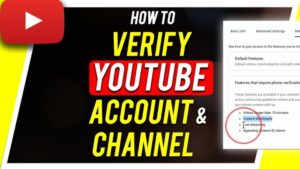
For most new creators, verification means confirming a phone number connected to the Google Account that owns the YouTube channel. YouTube sends a six-digit verification code by text message or automated voice call, and entering that code completes the phone verification process.
Phone verification gives your channel access to several useful creator features. According to YouTube, these include uploading videos longer than 15 minutes, adding custom thumbnails, live streaming, and appealing Content ID claims. Some features also have their own eligibility requirements, so verifying your phone number does not automatically activate every YouTube creator feature.
There is also a separate process for advanced features. After phone verification, YouTube may allow you to gain access through sufficient channel history, or you may be offered identity verification using a valid ID or video. The availability of these options can vary by account.
Finally, there is the blue or gray verification badge associated with established channels. That is not something you receive simply by verifying your phone number.
How to Verify Your YouTube Channel With a Phone Number
The simplest method is to use YouTube’s official verification page on a phone or computer browser.
Method 1: Verify directly through YouTube
- Open the official YouTube verification page at youtube.com/verify.
- Sign in to the Google Account that owns the YouTube channel you want to verify.
- Select your country if YouTube asks for it.
- Enter a phone number that can receive SMS messages or voice calls.
- Choose whether you want to receive the verification code by text message or voice call.
- Wait for the six-digit code.
- Enter the code into YouTube’s verification form.
- Submit the code and wait for YouTube to confirm the verification.
The process is normally quick. YouTube says the verification code should generally arrive immediately, although carrier or network delays can sometimes interfere with delivery.
Make sure you are signed into the correct Google Account before entering the number. This matters if you manage several channels or use multiple Google Accounts in the same browser.
Method 2: Verify through YouTube Studio on a computer
You can also start the process from YouTube Studio.
- Sign in to YouTube Studio.
- Click Settings.
- Select Channel.
- Open Feature eligibility.
- Find Intermediate features.
- Click VERIFY PHONE NUMBER.
- Enter your phone number.
- Choose text message or voice call.
- Enter the six-digit code you receive.
YouTube’s current Studio instructions use this route for phone verification on a computer.
If the menu looks slightly different from these instructions, do not assume that your account is broken. YouTube periodically changes Studio’s interface, and some features can have separate eligibility requirements.
What You Get After Verifying Your YouTube Channel
Phone verification is useful because it removes some restrictions that apply to unverified channels.
One of the most important benefits is the ability to upload videos longer than 15 minutes. This matters if you publish tutorials, reviews, interviews, lectures, gameplay, or other long-form content.
You can also add custom thumbnails. Instead of relying entirely on YouTube’s automatically selected thumbnail frames, you can upload an image designed specifically for the video.
Live streaming is another feature associated with phone verification. However, live streaming can have additional requirements depending on the device, account, or type of stream you are trying to start. Phone verification alone should not be treated as a guarantee that every live-streaming capability will immediately be available.
YouTube also lists the ability to appeal Content ID claims among the features available after verification. Content ID is YouTube’s system for identifying copyrighted material in uploaded videos, so this can be particularly relevant to creators who regularly use music, clips, or other potentially copyrighted material.
How to Check Whether Your Channel Is Already Verified
You do not need to repeat the verification process if your channel has already been verified.
The easiest way to check your feature access is through YouTube Studio:
- Sign in to YouTube Studio.
- Click Settings.
- Select Channel.
- Click Feature eligibility.
- Review the available feature categories.
YouTube displays Enabled beside features that your channel currently has access to.
This is more useful than simply assuming that a particular feature should be available. YouTube separates standard, intermediate, and advanced feature access, and individual features can have additional requirements.
If your goal is simply to upload longer videos or create custom thumbnails, look specifically at your intermediate feature status rather than looking for a verification badge on your channel page.
Phone Verification vs. the YouTube Verification Badge
These two forms of verification are easy to confuse because they are both described as channel verification.
Phone verification is primarily an account and feature-access step. It confirms that you have access to a particular phone number and helps YouTube reduce spam and abuse. YouTube says a phone number can be associated with no more than two channels per year for verification purposes.
The verification badge is different. It is a public indicator that YouTube has verified the authenticity of an established channel.
According to YouTube’s current requirements, a channel generally needs at least 100,000 subscribers to be eligible to submit a verification request. The Google Account must also have two-step verification enabled, and the channel needs a complete profile, including a banner, profile picture, description, and at least one public video.
Meeting the subscriber requirement does not mean the badge is automatically granted. YouTube reviews the channel and looks at factors including authenticity. The badge is intended to show that the channel represents the creator, brand, or entity it claims to represent.
Changing your channel name can also affect the badge. YouTube states that changing the channel name removes the verification badge and requires the renamed channel to apply again. Changing the channel handle does not remove the badge.
So if you have 500, 1,000, or even 50,000 subscribers and simply want to use custom thumbnails or upload longer videos, you do not need the public verification badge. Phone verification is the relevant process.
How to Get Advanced Features on YouTube
Phone verification is only part of YouTube’s current feature-access system.
YouTube divides creator features into standard, intermediate, and advanced access. Creating a channel gives you standard features as long as your account meets YouTube’s basic requirements. Phone verification provides intermediate access, while advanced features can depend on channel history or identity verification.
After completing phone verification, check YouTube Studio > Settings > Channel > Feature eligibility to see what your account can access.
If advanced features are available through channel history, you may not need to submit additional identification. YouTube says that many active channels already have sufficient channel history to qualify. Channel history can include activity such as uploads, live streams, audience engagement, account age, account usage, and how the account connects to Google services.
If you need advanced access sooner and YouTube offers the option, you may be able to verify your identity using a valid government-issued ID or video verification. These options are not available to every creator.
Using video verification
When YouTube offers video verification, the process is started from the Advanced features section in YouTube Studio.
You may be asked to:
- Open YouTube Studio and go to Settings.
- Select Channel.
- Open Feature eligibility.
- Select Advanced features.
- Choose ACCESS FEATURES.
- Select the video verification option if it is offered.
- Follow the instructions YouTube provides.
- Complete the requested actions using your phone’s camera.
- Wait for YouTube to review the video.
YouTube says video verification review usually takes about 24 hours.
The important point is that video verification is not the same thing as the public verification badge. It is an identity check used to determine access to certain creator features.
What to Do If YouTube Does Not Send the Verification Code
A missing verification code is one of the most common problems when trying to verify a YouTube channel.
First, wait a few minutes before requesting another code. Repeatedly requesting codes can make the process more confusing, particularly if an older code arrives after you have already requested a new one.
If you still do not receive anything, try the voice-call option if it is available. YouTube specifically recommends trying another verification method because some mobile carriers do not support Google’s verification texts or calls.
You should also check that the phone number was entered correctly and that the device can receive ordinary SMS messages or calls.
If the number works normally but YouTube still does not deliver the code, the problem may be related to your carrier rather than your YouTube account. YouTube recommends trying a phone number from a different carrier when the original carrier does not support Google’s messages or calls.
What the “Maximum Number of Accounts” Error Means
You may encounter a message saying that the phone number has already been used to create the maximum number of accounts.
This is not necessarily an indication that your phone is broken or that you entered the wrong number. YouTube limits how many channels can be associated with a phone number for verification. Its current help documentation says one phone number can be associated with up to two channels per year.
If you have reached that limit, repeatedly entering the same number will not solve the problem. You will need to use another eligible phone number or wait until you are able to verify again under YouTube’s limits.
Avoid using random temporary or disposable numbers for an important channel. Losing access to a number can create unnecessary problems when you need to complete account-related verification later.
Why YouTube Asks for a Phone Number
YouTube uses verification as one of several ways to reduce spam, automated abuse, scams, and repeated misuse of creator features.
A phone number gives YouTube another way to distinguish legitimate users from large-scale attempts to create and operate many accounts. YouTube says it does not sell the personal information submitted for phone verification.
This also explains why YouTube limits how many channels can use the same phone number for verification. The restriction is designed partly to prevent people from repeatedly creating channels and using creator features in ways that could facilitate abuse.
Phone verification does not mean that YouTube has reviewed every video on your channel or endorsed your content. It is an account verification step, not a quality certification.
Does YouTube Verification Help Your Videos Rank Higher?
Phone verification should not be treated as an SEO ranking technique.
Verifying your channel gives you access to creator features, but it does not mean that your videos will automatically receive more views or appear higher in search results.
The practical benefit is indirect. Custom thumbnails, longer uploads, live streams, and other creator tools can give you more ways to publish and present content, but the performance of a video still depends on factors such as its relevance, viewer response, topic, packaging, and content quality.
The public verification badge is also not an indication that YouTube recommends your videos over other channels. YouTube explicitly states that verification badges do not represent awards, milestones, or endorsements from YouTube.
Common Mistakes to Avoid
One common mistake is searching for a verification badge when the actual problem is that a creator has not completed phone verification. If you only need custom thumbnails or longer uploads, start with phone verification.
Another mistake is using a phone number that cannot reliably receive SMS messages or calls. If the number belongs to a service that blocks Google’s messages, the verification process can fail even though the number itself is valid.
Creators also sometimes assume that completing phone verification automatically provides advanced features. It does not. YouTube separates intermediate and advanced access, and advanced features can require sufficient channel history or additional identity verification.
Finally, do not assume that every YouTube feature follows the same eligibility rules. YouTube states that some features have separate requirements, so the Feature eligibility page is the best place to check the status of your particular channel.
What to Do After Verifying Your Channel
Once phone verification is complete, return to YouTube Studio and check Feature eligibility. Confirm that your intermediate features are enabled before trying to use a feature that previously appeared restricted.
If you are building a new channel, this is also a good time to complete the basic account setup. Add an appropriate profile picture, banner, channel description, and other information that accurately represents your content. These details become particularly important if you eventually become eligible to apply for the public verification badge.
If advanced features are important to your workflow, check the Advanced features section as well. You may already qualify through channel history, or YouTube may offer identity verification as another route.
Keep your channel in good standing. YouTube says that violations of its Community Guidelines can delay eligibility for advanced features, and existing advanced access can be affected when a channel does not maintain a positive history.
Final Thoughts
Learning how to verify your YouTube channel is straightforward once you know which type of verification you actually need. For most creators, the important step is phone verification through YouTube’s verification page or YouTube Studio. It can enable features such as custom thumbnails, longer video uploads, live streaming, and Content ID claim appeals.
If you need advanced creator features, phone verification is only the first step. YouTube may grant advanced access based on sufficient channel history or offer ID or video verification, depending on your account.
The public verification badge is a separate process with a much higher eligibility threshold. It is designed to confirm the authenticity of established channels, not to simply confirm that a creator owns a working phone number.
If you are unsure which type of verification your channel needs, open YouTube Studio > Settings > Channel > Feature eligibility. That page provides the most useful indication of which creator features are currently enabled and what additional verification, if any, is required.
If you think there’s been a mistake here, please do let us know by commenting on this post or Contact Us. And a member of our Content Integrity Team will review this decision with you.




