

Spam messages can make TikTok’s inbox frustrating to use. You might receive fake giveaway offers, suspicious links, unwanted promotions, repeated messages from unknown accounts, or attempts to trick you into sharing personal information.
Fortunately, TikTok gives you several ways to deal with unwanted messages. You can block individual accounts, report spam, restrict who can send you direct messages, filter suspicious requests, and adjust your privacy settings to reduce future contact from strangers.
The best method depends on the type of spam you are receiving. If one account keeps messaging you, blocking it is usually enough. If you regularly receive spam from multiple accounts, changing your direct message settings can prevent many of those messages from reaching your inbox in the first place.
This guide explains how to block spam messages on TikTok, how to report suspicious accounts, and which privacy settings can help keep your inbox under control.
Understand What Counts as Spam on TikTok
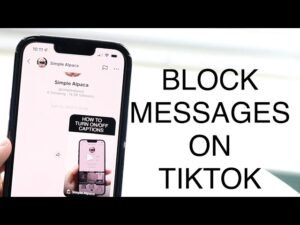
Not every unwanted message is necessarily malicious, but certain patterns should make you cautious.
Common examples of TikTok spam include:
- Messages promoting unrelated products or services.
- Fake giveaway or prize notifications.
- Requests to click suspicious links.
- Accounts pretending to represent TikTok, brands, or celebrities.
- Repeated messages sent from multiple accounts.
- Cryptocurrency, investment, or money-making schemes.
- Requests for passwords, verification codes, or personal information.
- Messages asking you to move the conversation to another app immediately.
Some spam accounts are automated, while others are operated by people attempting to build trust before sending a scam link or request. The safest approach is not to engage with messages that seem suspicious.
Blocking the sender stops that particular account from contacting you, but reporting the account can also help TikTok review potential violations of its rules.
How to Block a Spam Account on TikTok
If a specific person or account is sending spam messages, blocking them is the most direct solution.
When you block someone on TikTok, they can no longer send you direct messages or interact with you in the normal ways available to unblocked accounts. Blocking is useful when the problem comes from one persistent sender.
To block an account from a direct message:
- Open the TikTok app.
- Tap Inbox at the bottom of the screen.
- Open the conversation containing the spam messages.
- Tap the person’s name or profile information at the top of the conversation.
- Open the available options, usually through the More options menu.
- Select Block.
- Confirm your choice if TikTok asks for confirmation.
The exact wording and placement of menu options can change as TikTok updates its app. If you do not see a Block option immediately, open the sender’s profile and look for the Share or More options button. The blocking option is typically available there.
After blocking the account, you do not need to respond to the spam message. In fact, replying can sometimes confirm to spammers that the account is actively monitored.
Block an Account From Its Profile
You do not always need to open the message itself to block someone.
If you can access the sender’s TikTok profile:
- Open the account’s profile.
- Tap the Share or More options button near the top of the screen.
- Select Block.
- Confirm the action.
This method is helpful if you have already deleted the message or if the account is bothering you through comments and other interactions as well.
Blocking the account prevents future contact from that specific profile. It does not automatically block every new account created by the same person, which is why privacy settings become important when you receive spam from many different accounts.
Report Spam Messages Before or After Blocking
Blocking stops the unwanted contact, but reporting helps TikTok identify accounts that may be sending scams, phishing attempts, or large volumes of unwanted messages.
If a message contains a suspicious link, impersonation attempt, or request for sensitive information, reporting it is generally better than simply deleting it.
To report a spam message, open the conversation and look for TikTok’s reporting option. Depending on the version of the app, you may be able to press and hold the message or open additional options within the conversation.
Choose the reason that best describes the problem. Options may include spam, scams, fraud, harassment, or another relevant category.
After submitting the report, you can block the sender.
Do not rely on reporting alone if the account is actively contacting you. Reporting does not necessarily stop messages immediately, while blocking is intended to prevent further contact from that account.
Change Who Can Send You Direct Messages
If spam is coming from many different accounts, blocking people one by one can become tedious. A better solution is to limit who can contact you through TikTok’s direct messaging settings.
TikTok’s available messaging controls can vary based on factors such as your age, account type, region, and current app version. In general, you can find the relevant settings through your privacy controls.
To review your direct message settings:
- Open TikTok and go to your Profile.
- Tap the Menu button in the top corner.
- Select Settings and privacy.
- Tap Privacy.
- Look for Direct messages or the available messaging controls.
- Choose the most restrictive option that still allows the people you want to communicate with.
Depending on your account, TikTok may offer choices that limit messages to friends, suggested connections, or other categories.
If your goal is to stop spam, avoid using the broadest available setting. Restricting direct messages can significantly reduce the number of unknown accounts able to contact you.
Consider Who You Actually Need Messages From
Before choosing a setting, think about how you use TikTok.
If you primarily use the app to watch videos and communicate with people you already know, a restrictive setting makes sense. You may not lose anything important by preventing unknown accounts from messaging you.
Creators, businesses, and people who use TikTok for networking may have different needs. Completely restricting messages could make it harder for legitimate followers or potential collaborators to contact you.
In that situation, a better approach may be to allow limited message requests while blocking and reporting suspicious accounts as they appear.
The goal is not necessarily to remove every possible message. It is to reduce unwanted contact without preventing useful communication.
Review Your Message Requests
TikTok may separate some incoming messages from your main inbox. These messages can appear as requests rather than normal conversations.
If you receive spam requests regularly, avoid accepting or replying to suspicious accounts simply to see what they want. Open the sender’s profile first and look for warning signs such as copied content, a recently created-looking account, unusual follower activity, or repeated promotional comments.
Be especially careful with messages that create urgency.
For example, a message claiming that you must act immediately to receive money, recover your account, or avoid suspension should be treated cautiously. Scammers often use urgency to encourage people to act before checking whether the request is legitimate.
A legitimate issue involving your TikTok account should be handled through official features and support channels rather than through an unexpected direct message from an unfamiliar account.
Turn Off Notifications for Unwanted Conversations
Blocking is the right choice for persistent spam, but sometimes a conversation is merely unwanted rather than abusive or suspicious.
If you do not want to block someone but no longer want constant notifications, check the conversation settings for notification or mute controls.
Muting a conversation does not stop the sender from messaging you. It only prevents the conversation from repeatedly interrupting you with alerts.
That distinction matters:
| Action | What it does |
|---|---|
| Block | Stops the blocked account from contacting and interacting with you in the usual available ways |
| Report | Sends the account or content to TikTok for review |
| Mute | Stops or reduces notifications from a conversation without blocking the sender |
| Restrict message settings | Reduces who can contact you in the future |
If the messages contain scams or repeated spam, muting is usually not the best long-term solution. Blocking or reporting addresses the source of the problem more directly.
Be Careful With Links Sent Through TikTok Messages
One of the biggest risks associated with spam messages is not the message itself but the link inside it.
A spammer may send a link claiming that it leads to:
- A TikTok verification page.
- A prize or giveaway.
- A brand partnership offer.
- A warning about your account.
- A payment or investment opportunity.
- A page where you can supposedly see private information about another user.
Do not enter your TikTok password, email password, verification code, banking information, or other sensitive details on a website opened from an unexpected message.
A convincing-looking website can still be fraudulent. Before signing in anywhere, check the web address carefully and consider navigating to the relevant service manually instead of using a link supplied by an unknown account.
The same caution applies when someone asks you to share a verification code. Legitimate security codes are generally intended to confirm your access to an account, not to prove your identity to a stranger in a direct message.
What to Do if You Already Replied to a Spam Message
Replying to a spam message does not automatically mean your account has been compromised.
The level of risk depends on what you shared and what actions you took.
If you only sent a simple reply and did not click a link or share personal information, block the account and report it if appropriate. You may also receive more messages if the sender believes your account is active, so reviewing your direct message settings can help.
If you clicked a suspicious link but did not enter any information, close the website. Check your browser downloads and remove anything you did not intentionally download.
If you entered your TikTok password on a suspicious website, change your password immediately using TikTok’s official account settings. Also review your account’s security and logged-in devices for anything unfamiliar.
If you reused that same password on other websites, change it there as well. Password reuse can turn a single phishing incident into a problem affecting multiple accounts.
Enabling available two-step or multi-factor verification options adds another layer of protection. It is especially useful after a suspected phishing attempt.
Why Blocking One Spammer Sometimes Does Not Solve the Problem
Some users block one account only to receive similar messages from another account a few days later.
This happens because blocking works at the account level. It is effective against the specific profile you blocked, but it cannot guarantee that unrelated or newly created accounts will never contact you.
When spam keeps returning, use a combination of methods:
- Block accounts that repeatedly send spam.
- Report messages that appear to involve scams, fraud, or platform abuse.
- Restrict who can send you direct messages.
- Review message requests instead of accepting every conversation.
- Avoid responding to suspicious accounts.
- Do not click links that you were not expecting.
- Review your account security if you believe your information may have been exposed.
This approach is more effective than relying on a single setting because spam can reach users through different types of accounts and contact attempts.
Common Mistakes When Dealing With TikTok Spam
Arguing With the Spammer
Responding to spam rarely produces a useful result. Some automated accounts may ignore your response, while other scammers may continue the conversation in an attempt to gain your trust.
Blocking is usually faster and safer than trying to convince the sender to stop.
Clicking a Link Just to See Where It Goes
Curiosity can create unnecessary risk. Even if a page looks harmless at first, it may attempt to collect login details or encourage you to download something.
If you need to verify a claim, open TikTok or the relevant service directly rather than using the link in the message.
Blocking Without Reviewing Privacy Settings
If you receive occasional spam, blocking individual accounts may be enough. If it happens frequently, your direct message permissions are probably more important than repeatedly managing individual conversations.
A few minutes spent reviewing privacy settings can reduce the amount of spam you need to deal with later.
Sharing Verification Codes
A verification code can sometimes be the final piece of information a scammer needs to access an account. Never send a code to someone who contacted you unexpectedly, even if they claim to work for TikTok or another company.
Treat these codes like passwords.
Assuming Every Verified-Looking Account Is Legitimate
Profile names, copied logos, follower counts, and screenshots can all be misleading. A message should be judged by its behavior and request, not only by how convincing the account looks.
Unexpected requests for passwords, money, codes, or urgent action should always be examined carefully.
How to Keep Your TikTok Inbox Under Control
Once you have dealt with the current spam, a few habits can prevent your inbox from becoming cluttered again.
Review message requests before accepting them. Check the sender’s profile and be cautious when the message contains an offer that seems unrelated to your normal activity.
Keep your TikTok app updated so you have access to current security and privacy controls. Interface layouts may change, but security settings are typically found through the app’s profile, settings, and privacy sections.
If you receive a large number of suspicious messages over a short period, do not feel obligated to investigate every one. Delete or report obvious spam, block repeat offenders, and tighten your message permissions.
For accounts used by businesses or creators, consider establishing a clear communication process. Important contacts can be directed to a verified business email or another official contact method rather than relying entirely on unsolicited TikTok direct messages.
This can make it easier to separate legitimate opportunities from random promotional messages and scams.
When You Should Contact TikTok Support
Most spam can be handled by blocking, reporting, and adjusting privacy settings. However, additional help may be necessary if you believe your account itself has been compromised.
Look for help through TikTok’s official in-app support and account reporting options if you notice:
- Unrecognized changes to your account details.
- Messages being sent from your account without your permission.
- Unknown devices or sessions connected to your account.
- Difficulty changing your password.
- Repeated security alerts that you did not trigger.
- A suspected phishing incident that may have exposed your login information.
Avoid contacting “TikTok support” through random direct messages, comments, or unofficial social media accounts. Scammers sometimes impersonate support staff and target people who are already worried about an account problem.
Conclusion
Learning how to block spam messages on TikTok starts with dealing with the account that is contacting you, but the most effective solution depends on how often the problem occurs. For isolated spam, block and report the sender. For repeated messages from different accounts, review your direct message privacy settings and restrict who can contact you.
It is also important to avoid interacting with suspicious links, sharing verification codes, or providing login information through unexpected messages. If you accidentally share sensitive information, act quickly by changing your password and reviewing your account security.
With the right combination of blocking, reporting, message controls, and cautious habits, you can keep your TikTok inbox far more manageable and reduce the chances of falling for spam or phishing attempts.
Related Articles
- How to Secure Your TikTok Account From Hackers
- How to Fix Facebook Marketplace Not Showing: 10 Ways to Get It Back
- How to Fix Instagram Notifications Not Working
- How to Remove Fake Followers From Instagram Safely
If you think there’s been a mistake here, please do let us know by commenting on this post or Contact Us. And a member of our Content Integrity Team will review this decision with you.




This Post Has One Comment