

If you want to know how to secure your TikTok account from hackers, start with the controls TikTok provides under Security & permissions. A strong, unique password is important, but it should not be your only defense.
TikTok also provides two-step verification, security alerts, device management, security checkup, and passkeys, which can help prevent an attacker from taking over the account even if your password is exposed.
Account takeovers often begin outside TikTok. A reused password may have been exposed in another data breach, or you might enter your TikTok credentials on a fake login page.
An attacker may also gain access through an email account, phone number, compromised device, or an application that you previously authorized. Securing TikTok therefore means protecting the entire chain used to recover and access your account.
Start With TikTok’s Security Checkup
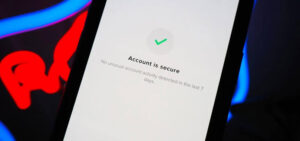
TikTok has a Security Checkup feature that brings several important security controls together. In the app, open Profile, tap the Menu ☰, choose Settings and privacy, then Security & permissions, and select Security checkup. The available checks can include your verified phone number and email address, two-step verification, trusted devices, security activity, and passkey-related security.
This is a good starting point because it lets you identify weak points before changing individual settings. For example, enabling two-step verification is less useful if the recovery email attached to your account is no longer under your control.
Go through the checkup carefully rather than simply turning every option on without understanding it. Confirm that the phone number and email address belong to you, review devices you recognize, and investigate security activity you do not remember.
TikTok’s menu names can change as the app is updated. If a setting appears in a slightly different location on your device, look under Security & permissions rather than assuming the feature has been removed.
Use a Strong, Unique TikTok Password
Your TikTok password should be different from passwords you use for email, banking, social media, or other websites.
Password reuse creates a particularly serious problem. Suppose you use the same password for TikTok and an unrelated website. If that website suffers a breach and your password is exposed, an attacker can try the same email address and password on TikTok. They do not need to break TikTok’s security directly.
A better approach is to use a password manager to generate and store a long, unique password. This removes the need to memorize dozens of different passwords and makes it easier to avoid predictable patterns.
If you suspect someone has accessed your account, change the password immediately. TikTok says that changing your password logs your account out on other devices, meaning someone already signed in should lose access and need to authenticate again with the new password.
To change your password while logged in, TikTok’s current instructions are:
- Open TikTok and tap Profile.
- Tap the Menu ☰ button.
- Select Settings and privacy.
- Tap Account.
- Select Password.
- Follow the prompts to create a new password.
If you change the password because of suspicious activity, do not immediately reuse an older password. Create a completely new one.
Turn On Two-Step Verification
Two-step verification, commonly called 2FA or 2SV, is one of the most important protections you can add to a TikTok account.
It requires an additional verification method when TikTok needs to confirm that you are the person trying to log in. This means that knowing your password alone may not be enough to access the account from a new or unfamiliar device.
TikTok currently supports several verification methods, including phone, email, authenticator, and password as part of its two-step verification options. TikTok recommends setting up at least two verification methods.
To enable it:
- Open TikTok and go to Profile.
- Tap Menu ☰.
- Open Settings and privacy.
- Tap Security & permissions.
- Select 2-step verification.
- Choose at least two available verification methods.
- Complete the verification process and confirm the setting.
An authenticator app can be particularly useful because it generates verification codes locally instead of depending entirely on text messages. TikTok specifically lists authenticator apps such as Google Authenticator and Microsoft Authenticator among its supported options.
SMS can still be useful as a recovery method, but your phone number itself needs to be protected. If someone takes control of your mobile number through a SIM-swap attack, text-message authentication can become less dependable.
Add a Passkey If Your Device Supports It
A passkey provides another way to protect your TikTok login without relying on a traditional password every time.
Instead of storing a password that you type into TikTok, a passkey uses cryptographic credentials stored by your device or supported password manager. Depending on your device, authentication can involve Face ID, Touch ID, a device passcode, or Android screen-lock authentication. TikTok states that it does not receive your biometric information when you use these device authentication methods.
TikTok supports passkeys on compatible Android and Apple devices. Its current requirements include Android 9 or later with screen lock enabled, or compatible Apple software with iCloud Keychain enabled and two-factor authentication enabled for the Apple Account.
To set up a TikTok passkey:
- Open Profile.
- Tap Menu ☰.
- Select Settings and privacy.
- Tap Account.
- Select Passkey.
- Tap Set up.
- Follow the instructions for your device or password manager.
Passkeys are useful because they reduce your dependence on passwords that can be copied or entered into fraudulent websites. They are not a reason to ignore the security of your phone itself. Anyone who can successfully unlock your device may have access to credentials stored on it, so use a strong device passcode and keep biometric security enabled where appropriate.
Check Every Device Connected to Your TikTok Account
A password change is not a substitute for reviewing your active devices.
TikTok lets you review devices associated with your account under Security & permissions. Open Profile > Menu ☰ > Settings and privacy > Security & permissions > Manage devices and examine the list.
Look for devices you do not recognize, old phones you no longer own, or sessions that do not match your normal usage.
If you find an unfamiliar device, remove it. TikTok also recommends changing your password if you find a device you do not recognize.
This check is especially important after using TikTok on someone else’s phone, logging in from a public or shared computer, selling an old phone, or recovering an account after suspicious activity.
Do not assume that every unfamiliar device name automatically means you have been hacked. Device names and locations can sometimes be confusing, particularly when network addresses or device identification do not correspond neatly to where you physically are. Investigate anything genuinely unfamiliar rather than relying on the displayed location alone.
Review TikTok Security Alerts
TikTok provides a Security alerts area where you can review unusual or suspicious account activity.
You can access it through Profile > Menu ☰ > Settings and privacy > Security & permissions > Security alerts. TikTok says these alerts are intended to help users keep track of unusual security events they do not recognize.
Check these alerts after receiving an unexpected login code, noticing an account change you did not make, or discovering an unfamiliar device.
Do not ignore a security notification simply because you can still log into your account. An attacker may have obtained partial access without immediately changing your password or username.
If something looks wrong, change your password, remove unfamiliar devices, verify your recovery information, and review your security settings.
Protect the Email Address Connected to TikTok
Your TikTok account is only as secure as the recovery channels attached to it.
If your TikTok password is strong but someone controls the email account connected to TikTok, that person may have another route toward account recovery. The same problem applies if your phone number is compromised.
Your email account should therefore have its own unique password and two-factor authentication. Avoid using the same password for your email and TikTok.
Also check the email account for unfamiliar forwarding rules, recovery addresses, logged-in devices, or security alerts. An attacker who gains access to an email account may try to maintain access even after you change your TikTok password.
This is one reason account security should be treated as a chain. Protecting only TikTok while leaving the associated email account exposed leaves a significant weakness.
Be Careful With TikTok Phishing Messages
Phishing is one of the easiest ways for an attacker to steal a TikTok login.
A phishing message attempts to convince you to enter your username, password, verification code, or other information into a fake website. The message may claim that your account violated a rule, that you have won something, that your account will be deleted, or that you need to verify your identity immediately.
The danger is not limited to obvious spam. A convincing message can copy familiar logos, language, colors, and account names.
Before entering your credentials, stop and check where the link actually leads. Do not trust a message simply because it contains the TikTok logo or appears to come from someone you know.
TikTok maintains guidance specifically about avoiding phishing and fraudulent messages. If a message creates urgency and asks you to provide a password or verification code, treat it with suspicion.
Never send a TikTok verification code to another person. A legitimate support conversation should not require you to hand your authentication code to a stranger who contacted you through a random message.
Do Not Give Your Password to Third-Party TikTok Services
Be cautious with websites and applications claiming to provide TikTok followers, likes, verification, analytics, downloads, or account recovery.
Some services may legitimately interact with TikTok, but you should understand exactly what access you are granting before connecting an account.
An application that asks for your TikTok password directly is particularly concerning. Avoid entering your TikTok credentials into unofficial login pages.
If you previously connected an application that you no longer use, review your connected-app permissions and remove access where appropriate. This reduces the number of external services that remain connected to your account.
The principle is simple: an application does not need permanent access just because you authorized it months or years ago.
Keep TikTok and Your Phone Updated
Security problems are not always caused by something you did.
TikTok, Android, iOS, Windows, macOS, browsers, and other software receive security updates that address vulnerabilities and improve protection. Running old software can leave known weaknesses unpatched.
Keep TikTok updated through your device’s legitimate app store. Also install operating-system and browser updates when they become available.
Avoid downloading modified TikTok applications, unofficial APK files, cracked versions, or “premium” versions from unknown websites. Besides potentially violating platform rules, unofficial software can expose credentials or install malicious components.
Your phone’s lock screen matters too. Use a strong passcode and enable the device’s built-in security features. If someone can physically access an unlocked phone, account protections that depend on the phone being trusted become much less useful.
Make Your TikTok Account Less Attractive to Attackers
Security is mainly about protecting access, but reducing unnecessary exposure can help as well.
Be careful about publicly posting information that could be used to answer security questions, impersonate you, or target you with convincing scams. This can include your phone number, personal email address, workplace details, birthday, travel plans, or other information that an attacker could combine with information from other platforms.
If you run a public creator or business account, separate your public contact information from the email address used for account recovery when practical. This makes it harder for strangers to identify your most important recovery channel.
You do not need to make your TikTok account private simply to improve account security. Privacy settings and authentication settings solve different problems. A private account can limit who sees content, but it does not replace a strong password, two-step verification, device management, or phishing awareness.
What to Do If You Think Your TikTok Account Was Hacked
Act quickly if you notice unexpected videos, messages, profile changes, password changes, unfamiliar devices, or other activity you did not authorize.
If you can still access the account, start by changing the password. Then review Manage devices and remove anything unfamiliar. Check Security alerts, verify your email and phone number, and make sure two-step verification is enabled. TikTok recommends these steps when an account may have been compromised.
If you cannot log in, use TikTok’s account recovery options rather than paying someone who claims they can “hack your account back.” TikTok provides password-reset and account-recovery options through its login and support system.
If the attacker changed your recovery information, do not keep guessing passwords. Use TikTok’s official recovery process and provide the information requested to establish ownership.
Once you regain access, assume the attacker may have had enough time to change other settings. Review the entire account rather than simply changing the password and moving on.
Common Mistakes That Leave TikTok Accounts Vulnerable
Several security habits create avoidable problems.
Using the same password everywhere: A password exposed on another service can become a TikTok login attempt.
Using only SMS verification: Text messages are useful, but having another verification method gives you an additional recovery path.
Ignoring unfamiliar devices: An unexpected device can be an early warning that someone else has accessed the account.
Trusting urgent messages: Attackers frequently use fear, deadlines, prizes, or account warnings to pressure people into clicking links.
Sharing verification codes: A verification code is an authentication credential. Treat it like a password.
Leaving old apps connected: Services you no longer use do not need continued access to your account.
Ignoring your email security: If your recovery email is compromised, changing TikTok’s password may not solve the underlying problem.
Using unofficial TikTok applications: Modified applications and downloads from unknown sources create unnecessary security risks.
A Practical TikTok Security Routine
After securing the account, you do not need to spend hours checking it every day.
Once your password is unique, two-step verification is active, your recovery information is correct, and your devices are familiar, perform occasional security reviews.
A useful routine is to:
- Check Security & permissions for alerts.
- Review connected devices and remove anything unfamiliar.
- Confirm your email address and phone number are still correct.
- Keep two-step verification enabled.
- Review connected applications and remove services you no longer use.
- Update TikTok and your phone’s operating system.
- Treat unexpected TikTok messages and login requests cautiously.
The exact frequency is less important than actually checking after something changes. For example, review your account immediately after losing a phone, changing your email password, receiving an unexpected login code, or noticing unusual TikTok activity.
Final Thoughts
Learning how to secure your TikTok account from hackers is less about finding one perfect setting and more about closing the common routes an attacker could use. Start with TikTok’s Security Checkup, create a unique password, enable two-step verification, review connected devices, monitor security alerts, and consider using a passkey on a compatible device.
Just as importantly, secure the email account and phone number associated with TikTok. Avoid phishing links, never share verification codes, and be selective about third-party applications that request account access.
No account can be made completely immune to every possible attack, but these measures significantly reduce the opportunities available to someone trying to take control of your TikTok account. If you notice suspicious activity, act immediately rather than waiting to see what happens. TikTok’s official support resources provide recovery and reporting options when normal login methods are no longer available.
Related Articles
- How to Protect Your LinkedIn Account From Scammers
- How to Stop Facebook From Tracking Your Activity
- How to Recover a Hacked Facebook Account Without ID
- How to Block Spam Messages on TikTok
If you think there’s been a mistake here, please do let us know by commenting on this post or Contact Us. And a member of our Content Integrity Team will review this decision with you.




This Post Has 2 Comments