

Choosing an AI image generator is harder than simply asking which one produces the best-looking images. Different tools can excel at photorealism, illustrations, text rendering, character consistency, editing, speed, or control over the final composition.
If you know how to compare AI image generators using the same prompts, output requirements, editing tasks, and practical constraints, you can find the tool that actually fits your workflow instead of relying on a single impressive sample image.
Start With What You Need the AI Image Generator to Do
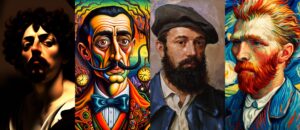
The best AI image generator depends heavily on the job. A person creating blog illustrations has different requirements from someone generating product mockups, concept art, social media graphics, portraits, or images containing readable text.
Before comparing tools, write down the type of images you expect to create most often. This prevents an attractive feature from influencing your decision when it does not matter to your work.
For example, you may need an image generator for:
- Blog and website illustrations
- Social media posts
- Product photography or mockups
- Marketing graphics
- Realistic portraits
- Character design
- Children’s illustrations
- Concept art
- Backgrounds and environments
- Presentation graphics
- Images containing signs, labels, or other text
- Editing existing images
- Creating multiple images with the same character or visual style
The intended use should determine which features receive the most weight during your comparison.
A generator that produces excellent artistic images but struggles with precise text may be a poor choice for creating advertisements. Likewise, a tool that offers excellent image editing may be more useful than one that produces slightly better first-generation images if you frequently modify existing pictures.
Compare AI Image Generators Using the Same Tests
One of the easiest ways to get a misleading comparison is to test each generator with a different prompt.
A simple prompt can make almost any modern image generator look impressive. A fair comparison requires the same conditions.
Create a small test set containing several prompts that represent the work you actually intend to do. Include different image types rather than testing only one beautiful landscape or portrait.
A useful test set might include:
- A photorealistic scene with several objects.
- A detailed illustration with a specific artistic direction.
- A portrait requiring accurate facial features and hands.
- An image containing a short amount of readable text.
- A composition requiring several objects in specific positions.
- An image-editing task using an existing picture.
- A character that needs to appear consistently in more than one scene.
Use the same prompt, aspect ratio, and relevant settings in every service whenever possible.
Don’t judge the results from one generation alone. AI image generation involves randomness, so a single unusually good or bad output can distort your impression of a tool. Generate several samples when the service allows it and look for consistency rather than one exceptional result.
Evaluate Image Quality Beyond the First Impression
Image quality is usually the first thing people notice, but “looks good” is not specific enough for a serious comparison.
Look closely at details that affect whether the image can actually be used.
Check faces, hands, and small objects
Human faces can look convincing at first glance while still containing subtle problems. Look at eyes, teeth, ears, hair, fingers, and facial symmetry.
Hands deserve particular attention because they can expose weaknesses that are not obvious when viewing the entire image. Check whether fingers have sensible proportions and whether objects are being held naturally.
Small objects should also retain logical shapes. Glasses, jewelry, phones, keyboards, tools, books, and other recognizable items can reveal whether the model understands the requested scene.
Check lighting and materials
For realistic images, inspect shadows, reflections, skin texture, glass, metal, wood, fabric, and other materials.
A generator may create attractive lighting while producing physically inconsistent reflections or shadows. That matters if you’re producing product imagery or visuals intended to look photographic.
Check composition
A technically detailed image can still fail if the composition is wrong.
Ask whether the main subject appears where you requested it. Check spacing between objects, camera angle, perspective, foreground and background elements, and the amount of empty space.
This becomes particularly important when an image needs room for a headline, logo, website text, or another design element.
Test How Well Each Tool Follows Prompts
Prompt adherence is one of the most useful criteria when comparing AI image generators.
A generator may create beautiful images but ignore important instructions. For practical work, following the brief is often more valuable than producing an aesthetically pleasing image that requires extensive correction.
Create prompts containing several independent requirements.
For example, instead of asking for “a modern office,” specify the people, objects, camera angle, lighting, colors, positions, and background you need.
Then check:
- Did the generator include every important object?
- Did it follow the requested composition?
- Did it understand relationships between objects?
- Did it respect the requested style?
- Did it follow instructions about lighting?
- Did it preserve the requested aspect ratio?
- Did it add unwanted objects?
- Did it incorrectly interpret negative instructions?
Pay special attention to complex prompts. Simple prompts tell you whether a generator can create an attractive picture. Complex prompts tell you how useful it will be for real production work.
Compare Text Rendering Separately
If you need images containing words, don’t assume that strong general image quality means strong text generation.
Text rendering should be treated as its own test.
Create several images containing short, specific phrases. Try different situations, such as:
- A store sign
- A product label
- A book cover
- A poster headline
- A screen displaying text
- A simple infographic
Check whether the words are spelled correctly, whether individual letters remain recognizable, and whether the text appears in the requested location.
Also check whether the generator changes the wording between attempts.
For professional graphics, even a small spelling error can make an otherwise excellent image unusable. In some workflows, it may be more practical to generate the visual without text and add the typography afterward using a design application.
Test Image Editing, Not Just Image Generation
Many people compare AI image generators by looking exclusively at their text-to-image capabilities. That misses an important part of modern AI image workflows.
If you already have photographs, illustrations, or generated images, editing features can save significant time.
Test whether the tool can perform controlled changes such as:
- Removing an object
- Replacing a background
- Changing clothing
- Altering colors
- Adding an object
- Expanding an image beyond its original borders
- Adjusting a specific area without changing the rest
- Turning a rough concept into a finished image
The most important question is not simply whether the tool can make the requested change. It’s whether it can make the change without damaging everything else.
Suppose you ask an editor to remove a chair from the background. A strong editing workflow should leave the person’s face, clothing, lighting, and surrounding objects largely unchanged.
Uncontrolled changes can make editing slower than starting over.
Check Character and Subject Consistency
Consistency becomes important when you need multiple images featuring the same person, character, product, or visual subject.
Generate the same character in several situations. Change the pose, clothing, background, and camera angle while keeping the defining characteristics the same.
Look for changes in:
- Facial structure
- Hair
- Skin tone
- Body proportions
- Clothing details
- Accessories
- Distinctive features
For products, check logos, shape, colors, buttons, ports, packaging, and other identifying characteristics.
A generator that produces one excellent image but struggles to maintain the same subject across a series may not be suitable for a comic, advertising campaign, storybook, product catalog, or branded content workflow.
Compare Control and Customization Features
Different generators provide different levels of control.
Some workflows are designed around writing a prompt and accepting the generated result. Others provide controls for composition, reference images, style, image strength, aspect ratio, variations, masking, and other parameters.
More controls are not automatically better.
If you’re new to AI image generation, a complicated interface may slow you down. If you’re producing images professionally, however, additional control can make it easier to reproduce a desired result.
Consider whether the tool lets you control the things that actually matter to your workflow.
Useful controls may include:
- Aspect ratio
- Image dimensions
- Reference images
- Style references
- Image-to-image generation
- Inpainting
- Outpainting
- Masking
- Seed or generation controls
- Multiple variations
- Composition guidance
- Adjustable image strength
- Style controls
The value of each feature depends on the type of work you’re doing.
Compare Resolution and Output Options
A generated image can look excellent inside an application but still be unsuitable for the final destination.
Check the actual output dimensions and available formats.
Consider where the images will be used:
| Use case | Important output considerations |
|---|---|
| Blog images | Web-friendly dimensions and file size |
| Social media | Platform-specific aspect ratios |
| Presentations | Sufficient resolution for large displays |
| High-resolution output and appropriate workflow | |
| Product imagery | Detail and clean edges |
| Thumbnails | Strong composition at small sizes |
| Marketing graphics | Space for typography and design elements |
Don’t confuse an image’s pixel dimensions with print quality. A larger pixel count does not automatically make an image suitable for every professional printing requirement.
If you need to enlarge generated images, also test the tool’s upscaling process. Fine details can become distorted when an image is enlarged, particularly around faces, text, hair, and intricate patterns.
Compare Speed and Generation Limits
Generation speed matters when you’re creating images regularly.
A tool that produces excellent results but takes significantly longer for every iteration may be less practical than a slightly less impressive generator that allows faster experimentation.
Measure the time required to produce a usable result rather than simply timing the first generation.
Also check the limits attached to the plan you’re considering. Services may restrict generations, editing operations, resolution, priority, or access to particular models depending on the subscription level.
Before comparing prices, determine how much image generation you actually need.
Someone generating five images per month has very different requirements from someone producing hundreds of variations.
Compare Pricing Based on Actual Usage
AI image pricing can be difficult to compare because services don’t always charge in the same way.
One service may provide a monthly generation allowance, another may use credits, while another may offer different limits based on model or resolution.
Don’t compare subscription prices alone.
Estimate your expected monthly usage and calculate what it would cost to produce the number of images you actually need.
Also check what happens when you reach a limit. A cheap plan can become inconvenient if additional generations require expensive credits or if the service significantly restricts important features.
Before subscribing, check:
- Monthly generation limits
- Credit expiration rules
- Image editing limits
- Available resolutions
- Access to different models
- Commercial-use terms
- Whether unused credits carry over
- Extra-generation pricing
- Whether features are restricted to higher tiers
Pricing and feature availability can change, so verify the current plan details before making a purchase.
Examine Commercial and Copyright Considerations
If you’re creating images for a business, don’t treat licensing as an afterthought.
Read the service’s current terms for commercial use, ownership, generated content, and prohibited uses. The exact rights you receive can vary between providers and subscription levels.
There is also an important distinction between permission to use an image under a service’s terms and broader questions about copyright protection. Those are not necessarily the same thing.
If an image will be used for an important commercial campaign, product, publication, or client project, review the applicable terms carefully rather than assuming that a paid subscription automatically gives unrestricted rights.
You should also consider whether the service allows you to upload reference images and how those uploads are handled.
This matters when working with client photographs, unpublished products, private designs, or other material that should not be casually uploaded to a third-party service.
Compare Privacy and Data Handling
Privacy can become a deciding factor when an image generator requires you to upload existing material.
Look for information about how uploaded images and prompts are stored, processed, retained, and potentially used.
For ordinary public content, this may not be a major concern. For confidential work, it can be critical.
A practical evaluation should answer questions such as:
- Can uploaded images be deleted?
- How long are they retained?
- Are prompts or images used to improve models?
- Are there controls for opting out where applicable?
- Can team members access generated content?
- What happens to data when an account is closed?
Don’t upload confidential client material until you understand the service’s data practices and your organization’s requirements.
Consider the Workflow Around the Generator
The image model itself is only part of the experience.
Think about everything you have to do before and after generation.
A useful workflow might look like this:
Prompt → Generate → Select → Edit → Upscale → Download → Design → Publish
If a tool handles several of these steps efficiently, it may save more time than a generator that produces marginally better images but requires several external applications.
Integration can matter too. Consider whether the service works well with the software you already use for design, publishing, photo editing, or content creation.
The goal is not to identify the generator with the most impressive feature list. It’s to identify the one that removes the most friction from your actual process.
Create a Simple Scoring System
Once you’ve tested several generators, use a scoring system rather than relying on memory.
You could score each category from 1 to 5:
| Category | Weight |
|---|---|
| Image quality | 20% |
| Prompt adherence | 20% |
| Editing | 15% |
| Consistency | 10% |
| Control | 10% |
| Speed | 5% |
| Resolution and output | 5% |
| Price | 10% |
| Privacy and terms | 5% |
These weights are only an example. Change them according to your priorities.
For instance, someone creating realistic product images might give image quality, consistency, editing, and commercial terms much greater weight. Someone producing quick social media illustrations might prioritize speed, ease of use, cost, and aspect-ratio controls.
A weighted score is useful because it prevents one spectacular feature from hiding serious weaknesses elsewhere.
Common Mistakes When Comparing AI Image Generators
A few testing mistakes can make the comparison almost meaningless.
Testing only one prompt
One prompt measures a narrow capability. Use several tasks that reflect your intended workload.
Choosing the best-looking image
The most attractive sample isn’t necessarily the most useful. Judge accuracy, repeatability, editing, and production requirements too.
Ignoring failed generations
Failed attempts are useful information. If a generator repeatedly misunderstands a certain type of instruction, that limitation will eventually affect your workflow.
Comparing different settings
If one tool is tested at a high-quality setting and another at a basic setting, the comparison is unfair. Keep the conditions as similar as the services allow.
Ignoring editing
A generator that requires ten attempts to create the right image may become much more useful if its editor can fix small problems quickly.
Looking only at subscription price
Calculate cost against your expected usage and the features you actually need.
Assuming every generated image is commercially safe
Check the current terms and applicable legal requirements before using generated content commercially.
How to Choose the Right AI Image Generator
After testing the tools, don’t ask which one is universally best. Ask which one performs best for your particular workload.
If your priority is photorealistic imagery, concentrate on faces, materials, lighting, hands, and consistency.
If you’re creating illustrations, focus on style control, composition, character consistency, and the ability to maintain a recognizable visual direction.
For marketing graphics, test text handling, image dimensions, editing, object placement, and commercial-use terms.
For content creation, prioritize speed, ease of iteration, aspect ratios, output quality, and the ability to make quick corrections.
For professional workflows, give greater weight to repeatability, editing controls, privacy, licensing, and integration with other software.
You may also find that using two generators makes more sense than choosing one. Different models can have different strengths, and the most efficient workflow may involve one tool for generation and another for editing or specialized tasks.
A Practical Test You Can Reuse
If you regularly evaluate new AI image generators, keep a standard test document.
Use the same seven to ten prompts each time and record:
- Generation time
- Number of attempts needed
- Successful results
- Major visual errors
- Prompt-following problems
- Editing performance
- Text accuracy
- Subject consistency
- Output resolution
- Monthly cost
- Important limitations
Save the generated images as well. This gives you a useful historical record when models change.
AI image generators evolve quickly, so a tool that performs poorly today may improve later. Likewise, a service that currently works well for your needs can change its models, limits, pricing, or interface.
A repeatable test makes those changes easier to identify.
Final Thoughts
Learning how to compare AI image generators is less about finding a winner and more about measuring the capabilities that matter to you. Test the same realistic tasks across several tools, look beyond attractive first impressions, and pay close attention to prompt accuracy, editing, consistency, output quality, cost, privacy, and usage rights.
The right generator is the one that reliably produces usable results with the least amount of correction for the work you actually do. A tool with slightly lower image quality can still be the better choice if it follows your instructions more accurately, edits images cleanly, costs less for your workload, or fits naturally into the rest of your workflow.
If you think there’s been a mistake here, please do let us know by commenting on this post or Contact Us. And a member of our Content Integrity Team will review this decision with you.


