If your iPhone battery health is dropping faster than you expected, the first thing to understand is that Battery Health is not the same as daily battery life. A sudden fall in the Maximum Capacity percentage can be worrying, especially if your iPhone is relatively new, but the percentage does not always decrease in a perfectly predictable pattern.
iPhone battery health can decline because of normal chemical aging, heat exposure, frequent charging cycles, heavy workloads, charging habits, or changes in how iOS estimates the battery’s remaining capacity. In some cases, the percentage may stay unchanged for months and then drop by several points within a short period after the system recalculates its estimate.
The good news is that you can reduce unnecessary battery wear. You cannot restore the original chemical capacity through settings or apps, but you can slow further degradation and determine whether the battery is aging normally or may need professional service.
Understand What iPhone Battery Health Actually Measures
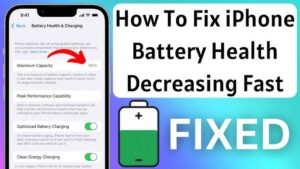
To check your battery health, open:
Settings > Battery > Battery Health & Charging
The most important number is Maximum Capacity. This represents an estimate of how much charge your battery can currently hold compared with when it was new.
For example, if your iPhone shows 90% Maximum Capacity, the battery can hold approximately 90% of the charge it could hold when new under Apple’s measurement conditions. It does not necessarily mean your phone will last exactly 10% less throughout every day because battery life also depends on screen brightness, apps, network signal, temperature, and how you use the device.
The percentage is an estimate based on battery behavior and measurements collected by the iPhone. Because of this, it may occasionally change after an iOS update, a recalibration process, or a change in how the system evaluates the battery.
This is one reason people sometimes believe their battery health is dropping unusually fast when the number moves from 100% to 97% within a few weeks. The decline may reflect normal chemical aging, but it can also reflect the system refining its estimate rather than three separate sudden failures.
Why iPhone Battery Health Can Drop Quickly
Lithium-ion batteries are consumable components. Every charge and discharge cycle causes gradual chemical aging, although the speed of that aging depends heavily on conditions.
Several factors can make the decline faster.
Heat Is One of the Biggest Causes of Battery Wear
Lithium-ion batteries do not handle prolonged high temperatures well. Using an iPhone heavily while it is hot, leaving it in a hot car, charging under a pillow, or repeatedly gaming while charging can increase battery stress.
The problem is not simply that the phone feels warm. Prolonged heat can accelerate chemical aging inside the battery.
Wireless charging can also generate more heat than a wired connection because energy is transferred less directly. This does not mean wireless charging automatically damages an iPhone battery, but if your phone regularly becomes very hot while charging, reducing the heat can help slow degradation.
Remove a thick or poorly ventilated case during charging if the iPhone consistently becomes hot. You do not need to remove the case every time, but excessive heat is worth addressing.
Frequent Full Charge Cycles Add Up
A charge cycle is based on using a total amount of power equal to 100% of the battery’s capacity. It does not have to happen in one discharge.
For example, using 50% of your battery today and another 50% tomorrow roughly equals one complete cycle.
Heavy users naturally accumulate cycles faster. If you play demanding games, record long videos, use navigation for hours, or spend most of the day on mobile data, your battery may age faster than someone who uses the phone lightly.
This does not mean you should avoid using your iPhone. The practical goal is to reduce unnecessary battery stress rather than obsess over every percentage point.
Constant High Heat During Charging Can Be Especially Problematic
Charging already produces some heat. Combining charging with demanding activities can increase it further.
A common example is using the iPhone for gaming, video editing, hotspot sharing, or navigation while connected to a charger. The battery may be receiving energy while the processor is also generating substantial heat.
If possible, let the iPhone charge without heavy use when it is already warm. If you need to use it, reduce demanding activities until the device cools down.
Poor Quality Chargers and Cables Can Cause Problems
A charger does not need to have an Apple logo to be safe. However, poorly designed or damaged charging accessories can cause unstable charging, excessive heat, or other problems.
Use a reputable power adapter and cable that meet the appropriate safety and compatibility standards for your iPhone. If a charger consistently causes the device to become unusually hot, stop using it and test with a known reliable charger.
Also inspect the cable. A damaged cable, loose connector, or intermittent charging connection can create unnecessary charging problems.
Battery Health Estimates Can Change After Recalibration
Battery health is calculated rather than measured with a simple physical percentage meter. The iPhone estimates the battery’s capacity based on charging and discharge behavior.
As the system gathers more information, the estimate can change.
This means a battery health reading might remain at 100% for a long time and then fall to 98% or 97%. That does not necessarily mean all of the degradation happened on the day the percentage changed.
The important thing is the long-term pattern. A gradual decline is generally less concerning than a rapid and continuing drop over a short period.
How to Slow Down iPhone Battery Health Decline
You cannot increase the chemical capacity of an aging lithium-ion battery through an app, reset, or charging trick. What you can do is reduce the conditions that accelerate further wear.
1. Avoid Extreme Heat
This is one of the most useful changes you can make.
Try not to leave your iPhone in direct sunlight for extended periods, especially while charging. Avoid leaving it inside a parked vehicle on a hot day, and stop charging if the phone repeatedly becomes extremely hot.
If you use the iPhone for demanding tasks, give it time to cool before connecting it to a charger when practical.
You do not need to panic every time the phone becomes warm. Brief warmth during charging, gaming, or software updates is normal. Persistent or excessive heat is the issue to investigate.
2. Turn On Optimized Battery Charging
Go to:
Settings > Battery > Battery Health & Charging
Look for Optimized Battery Charging and make sure it is enabled if the option is available on your iPhone and iOS version.
This feature is designed to reduce the amount of time the battery spends fully charged. Instead of immediately keeping the battery at 100% for long periods, the iPhone can delay completing the charge until it expects you to need it.
This is particularly useful for people who charge their iPhone overnight on a predictable schedule.
The feature may not work the same way every night. It relies on charging patterns, so it needs enough consistent behavior to make useful predictions.
3. Use a Charging Limit if Your iPhone Supports It
Some newer iPhone models and iOS versions offer a charging limit that allows you to stop charging below 100%.
If your device provides this option, limiting regular charging can reduce the amount of time the battery spends at its maximum charge level.
This is most useful for people who spend much of the day near a charger and do not need the full battery capacity.
For example, someone who works at a desk and can recharge during the day may find a lower charging limit practical. Someone who regularly spends long days away from power may be better off charging to 100% and accepting the normal battery wear associated with using the phone.
Battery preservation should not make the device inconvenient to use.
4. Do Not Worry About Charging From 40% or 60%
A common myth is that you must always let an iPhone battery fall to a very low percentage before charging it.
That is unnecessary for modern lithium-ion batteries.
You can charge your iPhone at 80%, 50%, or 25%. Partial charging is normal, and you do not need to wait until the battery is nearly empty.
Likewise, occasionally charging to 100% is completely normal. The concern is not reaching 100% once in a while. The bigger issue is repeatedly exposing the battery to unnecessary heat and keeping it at maximum charge for long periods when there is no practical reason to do so.
5. Reduce Unnecessary Heat While Gaming or Charging
If your battery health is declining quickly and you frequently play demanding games, this combination deserves attention.
Avoid charging the iPhone while running demanding games for long periods when possible. Lowering graphics settings, removing a heat-trapping case, and taking breaks can reduce the device’s temperature.
The same applies to video recording, hotspot use, navigation in direct sunlight, and other tasks that keep the processor and mobile connection working heavily.
The goal is not to avoid these features. It is to avoid repeatedly combining maximum workload, high temperature, and charging when you have a simpler alternative.
Check Whether an App Is Causing Excessive Battery Use
An app cannot directly rewrite your battery’s chemical health, but excessive power consumption can create more charging cycles and additional heat.
Go to:
Settings > Battery
Here, you can review battery usage by app.
Look for applications that consume an unusually large amount of battery, particularly when you are not actively using them. Social media apps, navigation services, games, video applications, and apps with excessive background activity can contribute to faster battery drain.
If one app appears unusually high, try the following:
- Update the app.
- Restart the iPhone.
- Check whether the app is still consuming power in the background.
- Update iOS.
- Delete and reinstall the app if the problem continues.
Do not assume that the app with the highest percentage is automatically malfunctioning. If you spent three hours watching videos, a video app should appear near the top. Focus on unexpected battery consumption rather than normal usage.
Keep iOS Updated, but Understand What Updates Can Change
Installing iOS updates can fix bugs that cause excessive battery drain or abnormal background activity.
After a major update, however, temporary battery drain can occur while the iPhone completes background tasks such as indexing files, analyzing photos, and updating system data. During this period, the device may become warmer and battery life may appear worse.
That is different from permanent battery health loss.
Give the iPhone some time to complete background processing before deciding that an update has permanently damaged your battery. If battery drain remains unusually high after normal use resumes, check Battery settings for problematic apps and background activity.
You should also avoid installing unofficial software or battery management apps that claim they can restore Maximum Capacity. Software cannot reverse the chemical aging of a lithium-ion battery.
Should You Stop Charging Your iPhone Overnight?
Not necessarily.
Modern iPhones include charging management features designed to reduce unnecessary stress when the device remains connected to power. For many people, overnight charging is still the most convenient option.
The bigger concern is the charging environment.
If your iPhone sits on a soft surface that traps heat, remains extremely hot under bedding, or uses a faulty charger, overnight charging can become less desirable. Charge the device on a hard, well-ventilated surface using reliable accessories.
If your phone regularly stays at 100% for many hours and supports a charging limit, you can consider using that feature. But there is no need to wake up and manually disconnect the charger at 80% every night.
Do Not Reset Your iPhone Just to Fix Battery Health
Factory resetting an iPhone does not restore chemical battery capacity.
A reset may help if a software problem is causing abnormal battery drain, but it will not turn 85% Maximum Capacity back into 100%.
Before considering a reset, check for:
- An iOS update
- An app consuming excessive battery
- Poor mobile signal causing constant network activity
- Unusual background activity
- Excessive heat
- A recently installed app causing problems
A factory reset should be a troubleshooting step for a persistent software issue, not a method for improving the Battery Health percentage.
When a Rapid Battery Health Drop May Need Attention
A small percentage decline over time is expected. The more important question is whether the decline continues unusually quickly.
Pay closer attention if:
- Maximum Capacity drops repeatedly within a very short period.
- The iPhone unexpectedly shuts down despite showing a significant charge.
- The device becomes unusually hot during normal use.
- Battery life has become dramatically worse.
- You see a battery service message in Battery Health settings.
- The battery percentage jumps up or down unpredictably.
First, make sure you are not confusing battery health with battery drain. An iPhone can have 95% Maximum Capacity but still lose power quickly because of an app, weak signal, background processing, or a software issue.
If the Maximum Capacity itself continues falling rapidly, professional diagnostics are more useful than repeatedly changing settings or performing factory resets.
When Replacing the Battery Makes Sense
Battery replacement becomes practical when battery life no longer meets your needs or when the iPhone reports that the battery requires service.
There is no single percentage at which every iPhone must receive a new battery. Two people with the same Maximum Capacity can have very different experiences depending on their usage.
For example, an iPhone at 82% may still last comfortably through the day for a light user, while someone who relies heavily on navigation, mobile data, video, and gaming may struggle even with a battery health percentage above that.
If you are considering replacement, use an authorized repair provider or a reputable service option that installs a compatible, properly sourced battery. Poor-quality replacement batteries may have unreliable capacity, shorter lifespan, or inaccurate battery reporting.
Before replacing the battery, back up your iPhone. Battery service normally should not erase your data, but maintaining a current backup is good practice before any hardware repair.
Common Mistakes That Can Make the Problem Worse
Trying to preserve battery health can become counterproductive when normal usage is replaced with unnecessary restrictions.
Avoid these common mistakes:
- Constantly draining the battery to 0%. Modern lithium-ion batteries do not need regular deep discharges.
- Keeping the phone permanently plugged in without considering heat. The connection itself is not the main issue, but excessive temperature should be addressed.
- Using damaged or unreliable charging accessories. Replace accessories that cause overheating or unstable charging.
- Gaming heavily while charging for long periods. This can combine high power use with charging heat.
- Installing battery “repair” apps. Apps cannot restore lost chemical capacity.
- Factory resetting repeatedly. This does not repair a physically aging battery.
- Checking Battery Health obsessively. The number can change in steps and is more useful as a long-term indicator.
Conclusion
If your iPhone battery health is dropping quickly, start by checking whether the issue is genuine battery degradation or simply poor daily battery life caused by apps, software activity, weak signal, or heavy usage. Maximum Capacity is an estimate of the battery’s remaining ability to hold a charge, so occasional percentage changes do not always mean the battery suddenly deteriorated.
The most effective way to slow further decline is to reduce unnecessary heat, use reliable charging accessories, avoid prolonged heavy workloads while charging, enable Optimized Battery Charging, and use a charging limit when your iPhone supports one and it fits your routine.
You cannot restore lost battery health with an app, a reset, or a charging trick. If the percentage continues to fall rapidly, the iPhone overheats during normal use, or Battery Health reports a service issue, professional diagnostics can help determine whether the battery is aging normally or needs replacement.
If you think there’s been a mistake here, please do let us know by commenting on this post or Contact Us. And a member of our Content Integrity Team will review this decision with you.